Agent Builder
Design and deploy sophisticated AI agents without code
Table of Contents
- Overview
- What is the Agent Builder?
- The Main Dashboard: Your Command Center
- Core Concepts: The Building Blocks of Logic
- Building Your First Agent: Step-by-Step
- Detailed Node Reference
- Running, Testing, and Debugging
- Advanced: Performance Optimization
- Mastering Your Workflows
- Troubleshooting Guide
- Explore the Documentation
Overview
The Agent Builder is one of Ask Sage's most powerful features, enabling you to design and deploy sophisticated AI agents without writing a single line of code. Think of it as creating a specialized version of AI workers that can perform complex multi-step tasks, process data, and generate detailed reports, all directed by a visual workflow you create.
What is the Agent Builder?
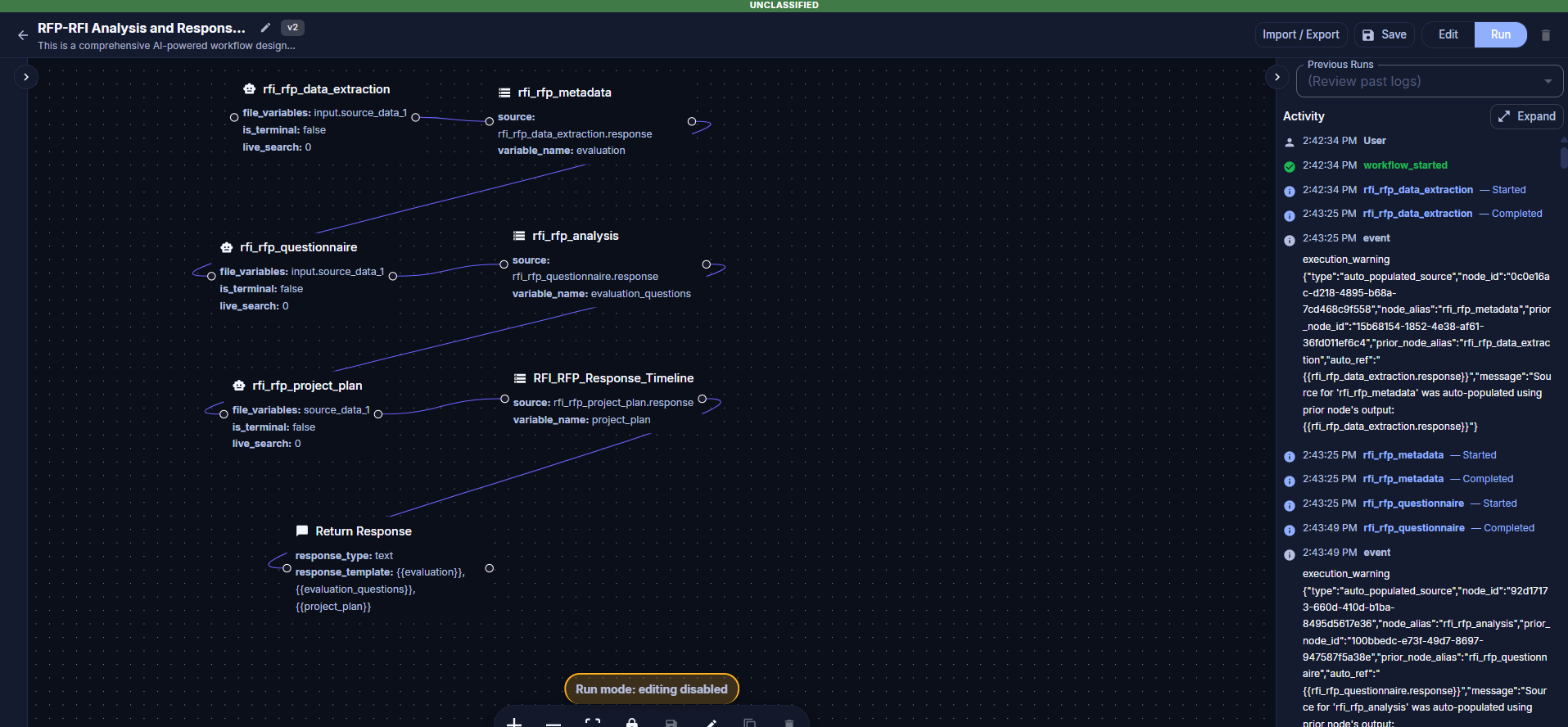
The Agent Builder is built around two distinct concepts that work together: an Agent is the persona that runs (name, system prompt, default model, agent-level variables), and a Workflow is the visual node graph the agent executes. Each Agent runs exactly one Workflow. Workflows are composed of nodes — discrete operations like LLM calls, decision routing, loops, file reads, or RAG ingestion — connected together to form a logical flow.
The Main Dashboard: Your Command Center
When you navigate to the Agent Builder, you land on the main dashboard. This is your central hub for creating, organizing, and launching agents.
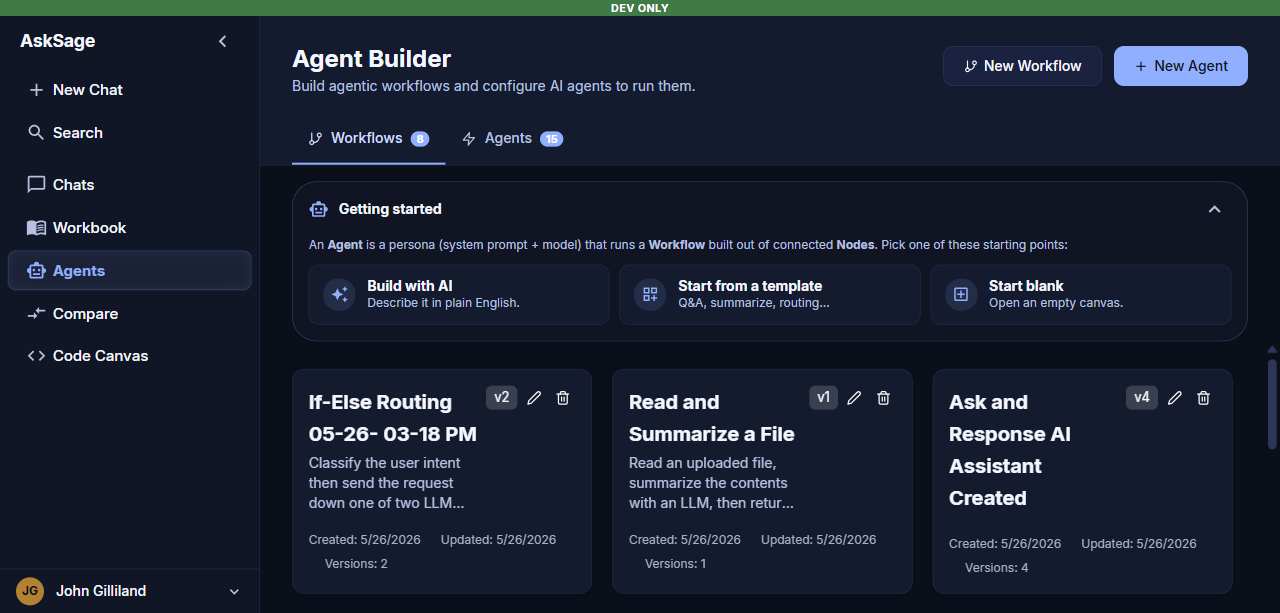
The Agent Builder dashboard with its tab navigation
The dashboard is organized into two tabs:
- Agents — every agent in your workspace, with quick actions to open, run, duplicate, or delete. Use the New Agent button to start a new agent.
- Workflows — every workflow in your workspace, plus a gallery of pre-built Templates (which are themselves just ready-to-use workflows you can copy as a starting point).
A Getting Started panel on the dashboard surfaces three ways to begin a new workflow:
Core Concepts: The Building Blocks of Logic
Understanding the core concepts of the Agent Builder is essential for creating effective workflows. The system is built around nodes, connections, and execution flows that determine how your agent processes information and makes decisions.
Building Your First Agent: Step-by-Step
Creating your first agent is an exciting process. We'll guide you through each step, from initial setup to deployment.
Detailed Node Reference
The Agent Builder provides a variety of nodes that serve different purposes in your workflow. Each node type has specific capabilities and configuration options.
Running, Testing, and Debugging
Testing and debugging your agents is crucial to ensure they perform as expected. Learn how to test workflows, interpret results, and troubleshoot issues.
Advanced: Performance Optimization
Once you're comfortable with basic agent creation, you can optimize your workflows for better performance, cost efficiency, and reliability.
Mastering Your Workflows
Take your agent building skills to the next level by mastering advanced techniques, best practices, and workflow patterns.
Troubleshooting Guide
Common issues and their solutions to help you resolve problems quickly and get your agents running smoothly.