Ask Sage Chat Widget for SharePoint
Bring AI-powered question-and-answer capabilities directly into your organization's SharePoint pages.
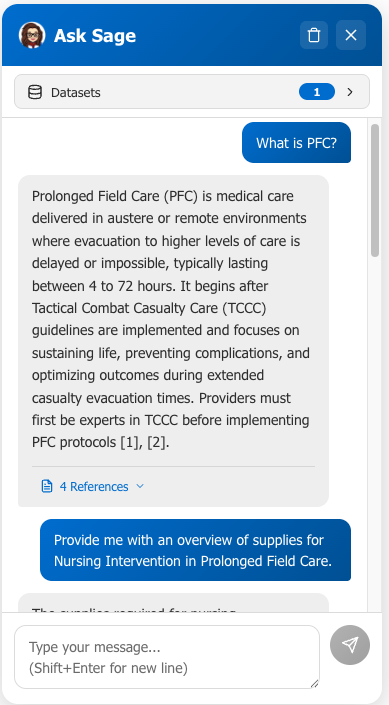
AI-powered chat embedded directly in SharePoint — connected to your organization's knowledge bases via the Ask Sage platform.
Instance-Specific Base URL: The endpoints and configuration shown reflect the instance at chat.asksage.ai. The api. prefix and path suffix stay the same across deployments — only the instance segment in the middle changes based on which Ask Sage instance you are logging into. Always use the instance approved by your organization and applicable regulatory requirements, and match the base URL in your configuration to the instance you authenticate against.
Overview
The Ask Sage Chat Widget brings AI-powered question-and-answer capabilities directly into your organization's SharePoint pages. Employees can simply click a chat button on any SharePoint page and ask questions in plain English. The widget connects to your organization's Ask Sage account via API and retrieves answers from datasets (knowledge bases) that have been uploaded to the Ask Sage platform. It cites its sources and presents responses in a clean, familiar chat interface.
How It Works
A floating chat button appears in the bottom-right corner of any SharePoint page where the widget is installed. Users click to open the chat, select a knowledge base, and type a question. The AI searches the selected datasets, returns a clear answer with numbered citations, and supports follow-up questions with conversation memory (up to 10 messages).
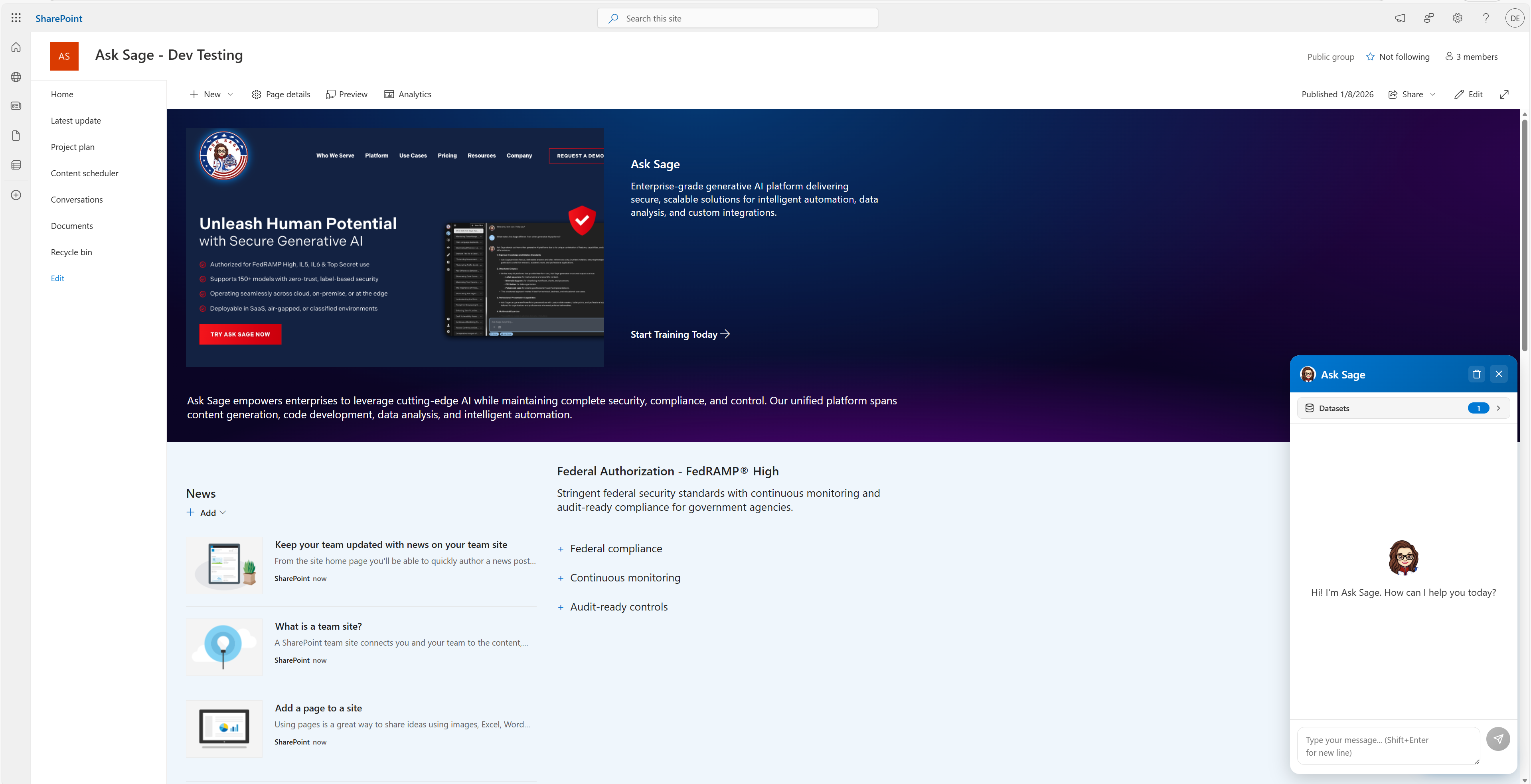
Common Use Cases
What You Need to Get Started
Ask Sage Account
An active Ask Sage subscription with an API key. Learn more at asksage.ai
Get Started
Deploy, configure, and manage the widget on your SharePoint sites. Covers installation, API setup, dataset configuration, and access control.
Learn how to open the chat, select datasets, ask questions, and interpret responses with source citations.
Download the latest Ask Sage Chat widget package for SharePoint. Upload this file to your App Catalog to install.