Ask Sage API
Build custom applications with programmatic access to Ask Sage's powerful AI models

Table of Contents
Instance-Specific Base URL: The endpoints and configuration shown reflect the instance at chat.asksage.ai. The api. prefix and path suffix stay the same across deployments — only the instance segment in the middle changes based on which Ask Sage instance you are logging into. Always use the instance approved by your organization and applicable regulatory requirements, and match the base URL in your configuration to the instance you authenticate against.
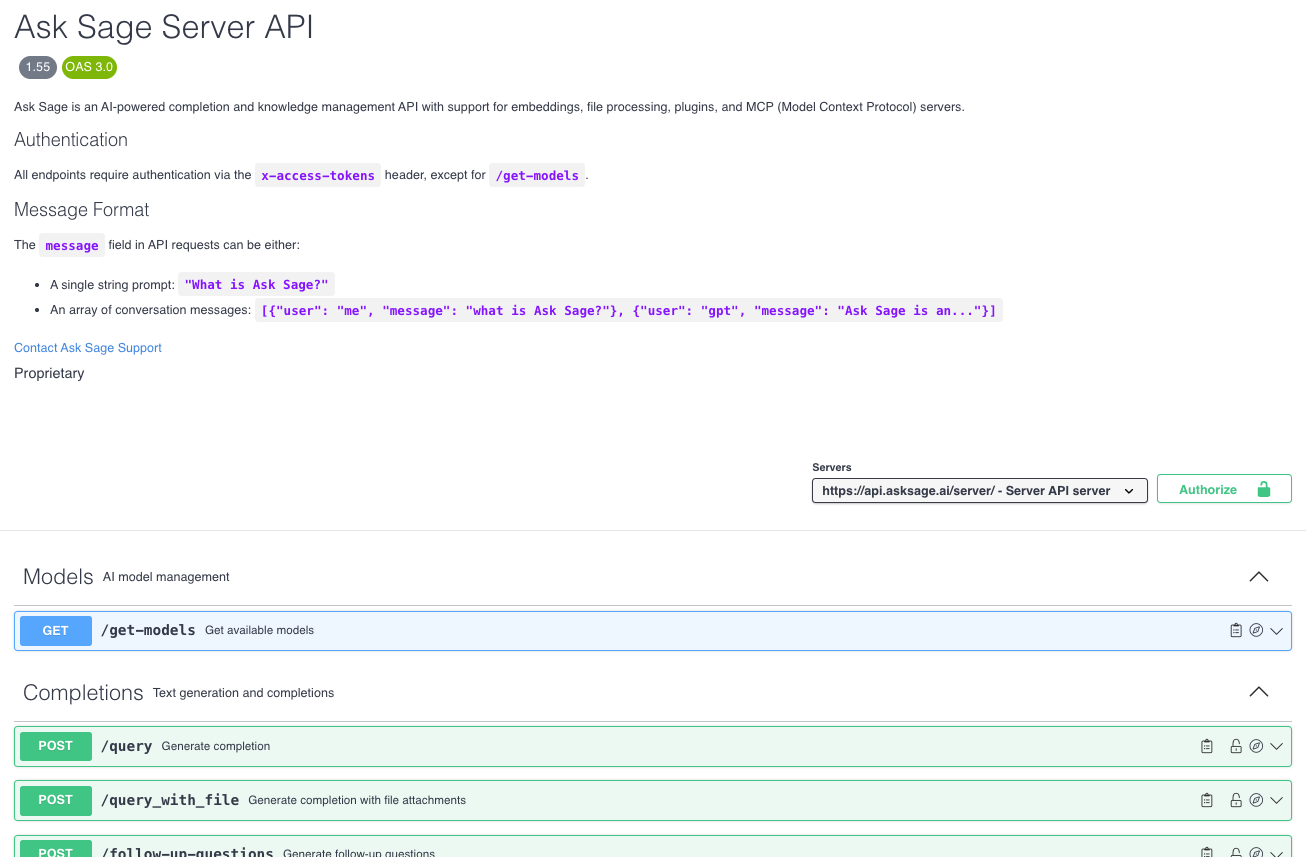
API Documentation
The Ask Sage API provides comprehensive Swagger documentation for seamless integration. Choose the API surface that matches your needs:
Creating an API Key
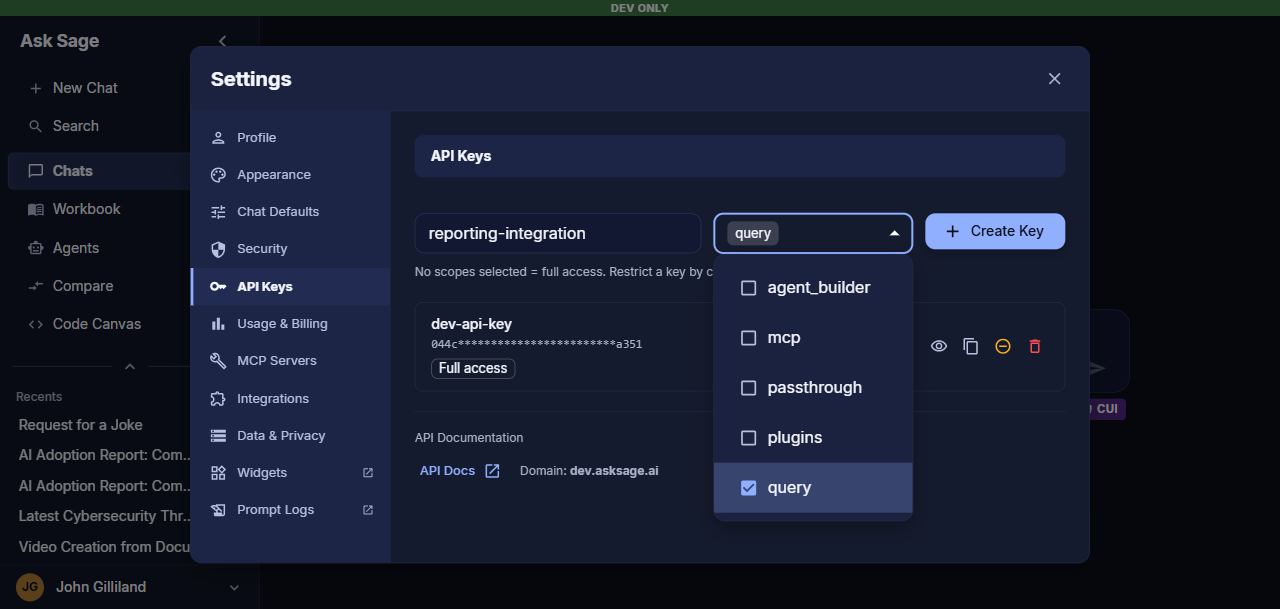
Follow these steps to generate your API key:
- Navigate to Settings in the Ask Sage platform
- Switch to the API Keys tab
- Enter a name for your key and, optionally, select one or more scopes to restrict what it can access
- Click + Create Key to generate your new API key
Restricting Access with Scopes
A key created with no scopes selected has full access to the Ask Sage API. Selecting one or more scopes limits the key to only the endpoints covered by those scopes:
| Scope | Grants access to |
|---|---|
query | Core chat and completion endpoints, such as /query and /query_with_file |
plugins | Plugin discovery and execution endpoints, such as /get-plugins and /execute-plugin |
mcp | MCP server management endpoints (add, list, update, delete) |
passthrough | Ask Sage’s OpenAI/Anthropic-compatible passthrough proxy, used when configuring Ask Sage as a custom model provider in third-party tools |
agent_builder | Triggering Agent Builder workflows programmatically via POST /execute-agent |