Templates
Pre-built workflows you can copy and customize
Table of Contents
What Are Templates?
Templates are pre-built workflows curated by Ask Sage. They aren't a separate concept from workflows — they're regular workflows that ship as starting points so you can skip the blank canvas and start customizing immediately. Everything is editable after you pick one — nodes, prompts, and models.
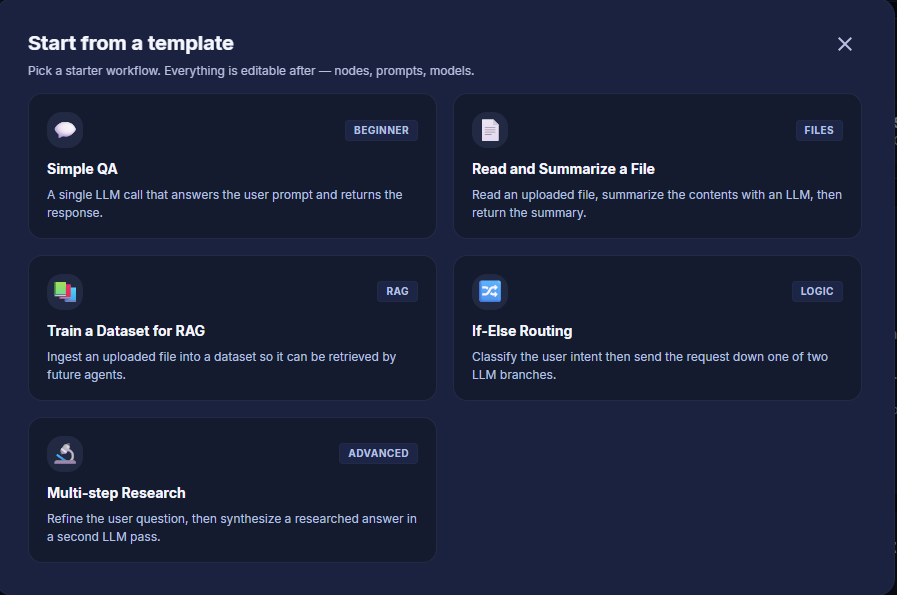
The "Start from a template" gallery, opened from the Getting Started panel on the Agent Builder dashboard
Using a Template
- From the Agent Builder dashboard, click Start from a template in the Getting Started panel to open the template gallery.
- Pick a starter workflow that matches your use case.
- The template is copied into a new workflow in your workspace. Open it in the editor, configure the persona on the Agent tab, and edit nodes directly on the canvas.
Available Templates
The template gallery is updated regularly. The list below reflects the current set; open Start from a template from the dashboard for the latest additions.
Simple QA
Beginner — A single LLM call that answers the user prompt and returns the response.
Read and Summarize a File
Files — Read an uploaded file, summarize the contents with an LLM, then return the summary.
Train a Dataset for RAG
RAG — Ingest an uploaded file into a dataset so it can be retrieved by future agents.