Cancel
End your subscription whenever you need to — your account and data stay intact.
Table of Contents
Before You Cancel
- Stops future billing. You won't be charged again at the next renewal.
- Keeps access until your paid period ends. You can keep using the tokens you've already paid for through the end of the current billing cycle.
- Does not delete your account. Your sign-in, datasets, agents, and chat history stay intact.
- Does not delete your datasets. They remain available if you re-subscribe later.
Step-by-Step
Sign in to chat.asksage.ai. Click your name at the bottom-left of the sidebar, choose Settings, open the Usage & Billing tab, and press Manage Subscription. A new tab opens to the plan-picker page — not the Stripe portal yet. Scroll to the bottom of that page and press Manage Subscription again to reach the Stripe customer portal, where cancellation happens.
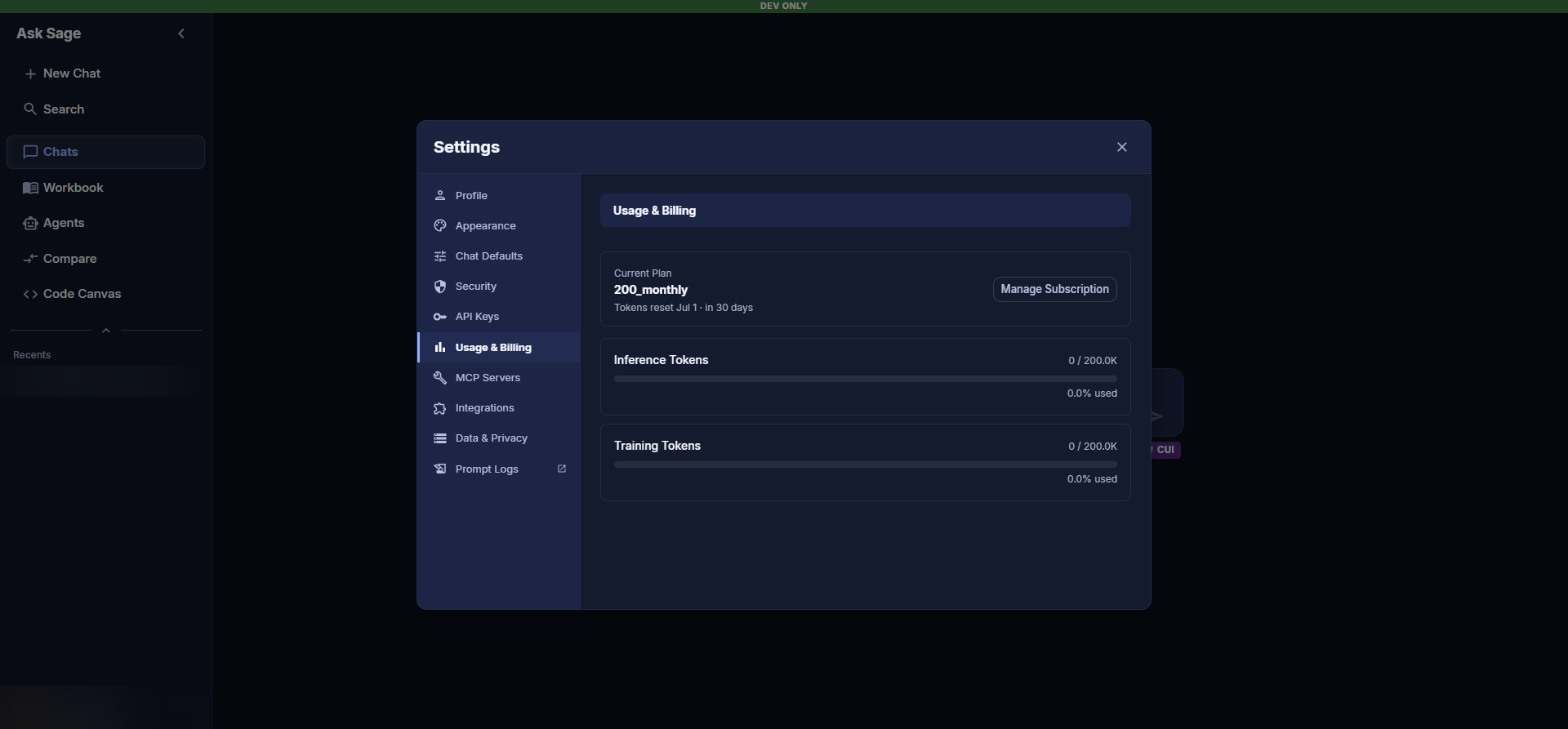
Usage & Billing — the first Manage Subscription button. A second one waits at the bottom of the page that opens.
In the Stripe portal, find your active subscription and click Cancel subscription. Stripe shows a confirmation page that reminds you the subscription stays active through the end of your current billing period. Press Cancel subscription on that page to confirm.
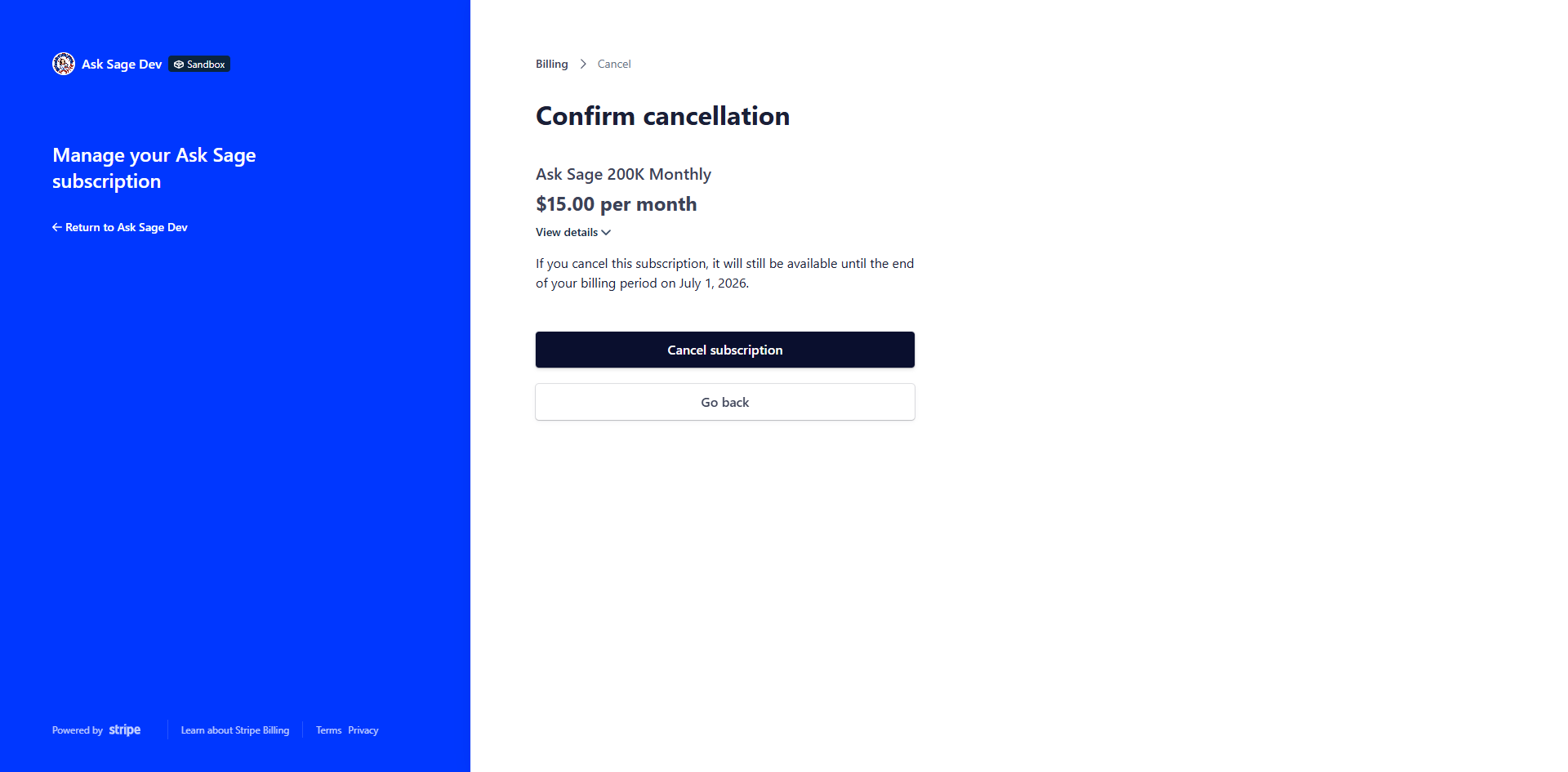
Stripe customer portal — Confirm cancellation. The notice spells out the date your access ends.
Stripe confirms the cancellation on-screen (with an optional feedback survey you can skip) and emails a receipt to your billing email. The portal now shows a Cancels Jul 1 (or whatever your end date is) badge on the subscription, and the line "Your service will end on [date]" replaces the next-billing-date line.
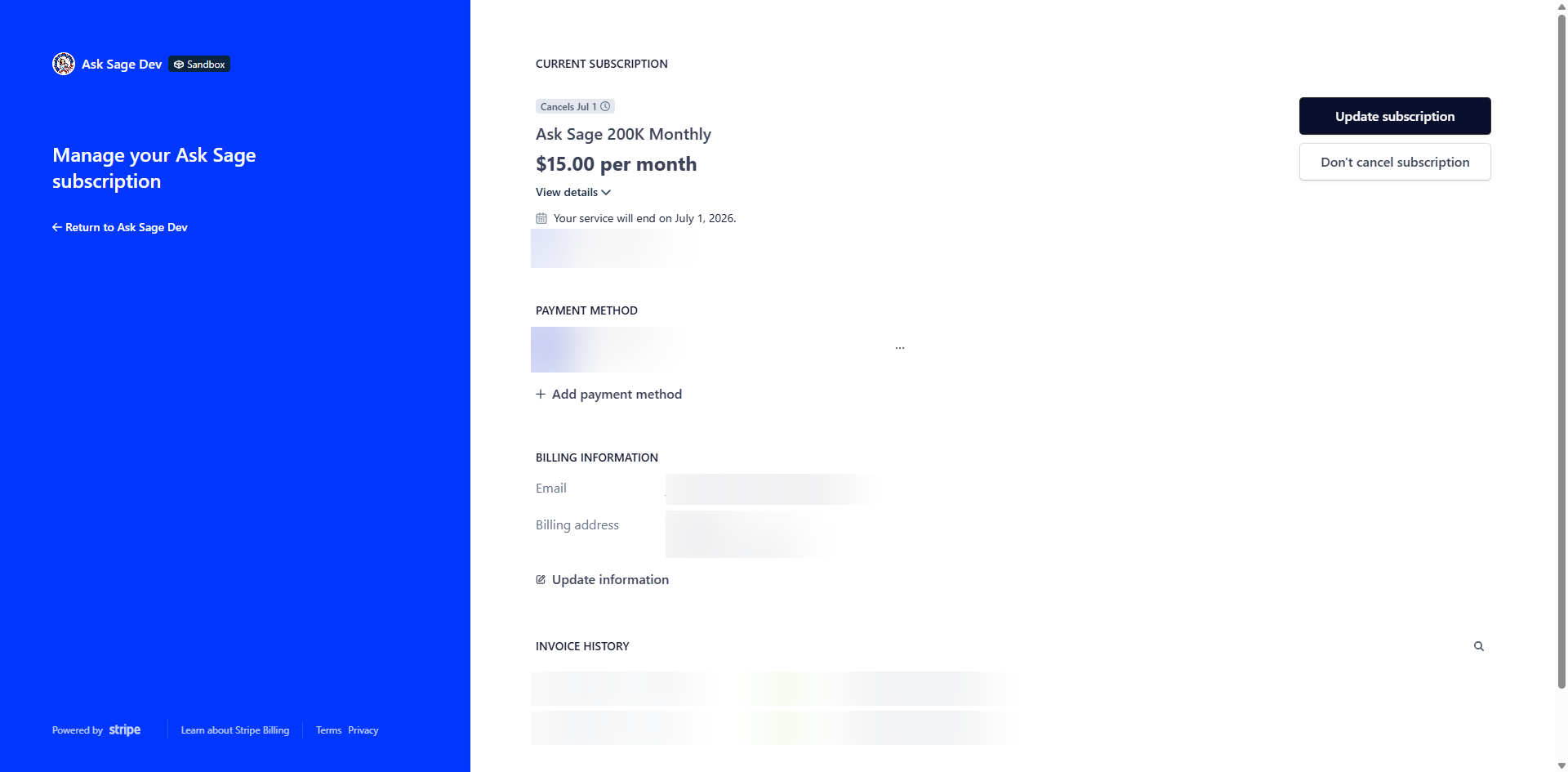
Stripe customer portal after cancellation — service end date is clear, and a Don't cancel subscription link is available if you change your mind before that date.
After Cancellation
- Through end of billing period: Your subscription stays active. You can continue using your remaining tokens normally.
- After the period ends: Token spend on paid models stops. Your account stays signed in and your data stays in place.
- If you change your mind before the end date: Open the Stripe portal again and click Don't cancel subscription to renew on the same schedule (no new checkout needed).
- If you change your mind after the end date: Re-subscribe by going to Settings → Usage & Billing → Manage Subscription and choosing a plan. See Pay.