Local and Cloud Inference
Choose local inference or connect an approved cloud provider
Table of Contents
About this guide
Inference is the process that generates a model’s response. Edge can use models running on the deployment or approved cloud providers when the required connectivity and credentials are available.
Choose the inference mode
| Mode in Overview | Use it for | Requirements |
|---|---|---|
| Local | Requests served by configured local models. | A ready local chat model and healthy local services. |
| Frontier | Access to configured cloud model providers. | Approved network connectivity, valid provider credentials, and access to the requested models. |
An operator or admin can change the mode in Overview → Inference mode. A mode change can restart application components or affect active sessions, so coordinate it with users. After changing modes, wait for services to be ready, refresh the workspace, and test the intended model.
Local embedding remains local when switching modes. When a cloud model answers a request, the prompt and any document excerpts included in that request can be processed by that provider. Local embedding does not make a cloud-generated answer an entirely local operation.
Configure a cloud provider
Use an admin account in the Appliance Manager.
- Open Providers.
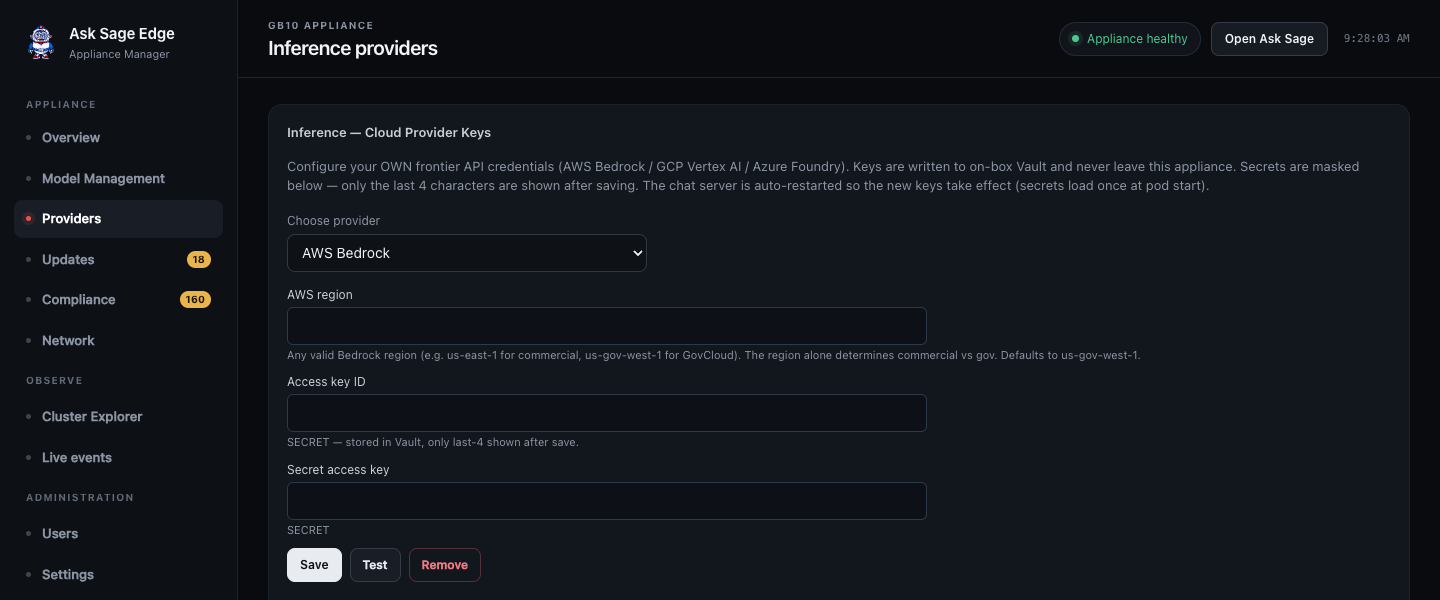
- Choose the provider supported by your release. The Providers screen includes AWS Bedrock, Google Vertex AI, Azure Foundry, and legacy Azure OpenAI configuration.
- Enter the fields requested for that provider, such as credentials, region, project, endpoint, or deployment information. Use credentials issued for this deployment.
- Save and wait for the affected application services to restart.
- Check the configured-provider status. Saved secrets are masked.
- Select Frontier in Overview when approved for use.
- Refresh the workspace model list and test a model your provider account is entitled to use.
The console stores provider credentials in the appliance’s secret store. Provider authentication still uses those credentials when making external requests. Keep the original credentials in your organization’s approved credential system for rotation and recovery.
Saving a key does not establish network access, grant the provider account model permissions, or guarantee quota. If a model is unavailable, check those requirements as well as the entered endpoint and region.
Return to local operation
Load and test a local model before changing Inference mode to Local. Verify a chat and document-retrieval request after the change. For an air-gapped transition, complete the additional checks in Offline and air-gapped operation.
Treat inference mode and network isolation as separate controls. Switching to Local does not itself disable Wi-Fi, disconnect Ethernet, or prevent a connector from contacting an external service.