New Admin Panel
Redesigned Admin Experience
A modern, streamlined administration panel for managing your Enterprise Account
Table of Contents
The new Admin Panel is a redesigned administration experience that runs alongside the classic admin interface. It features a persistent sidebar navigation, dark and light theme support, and a consolidated organization management dialog with tabbed workflows.
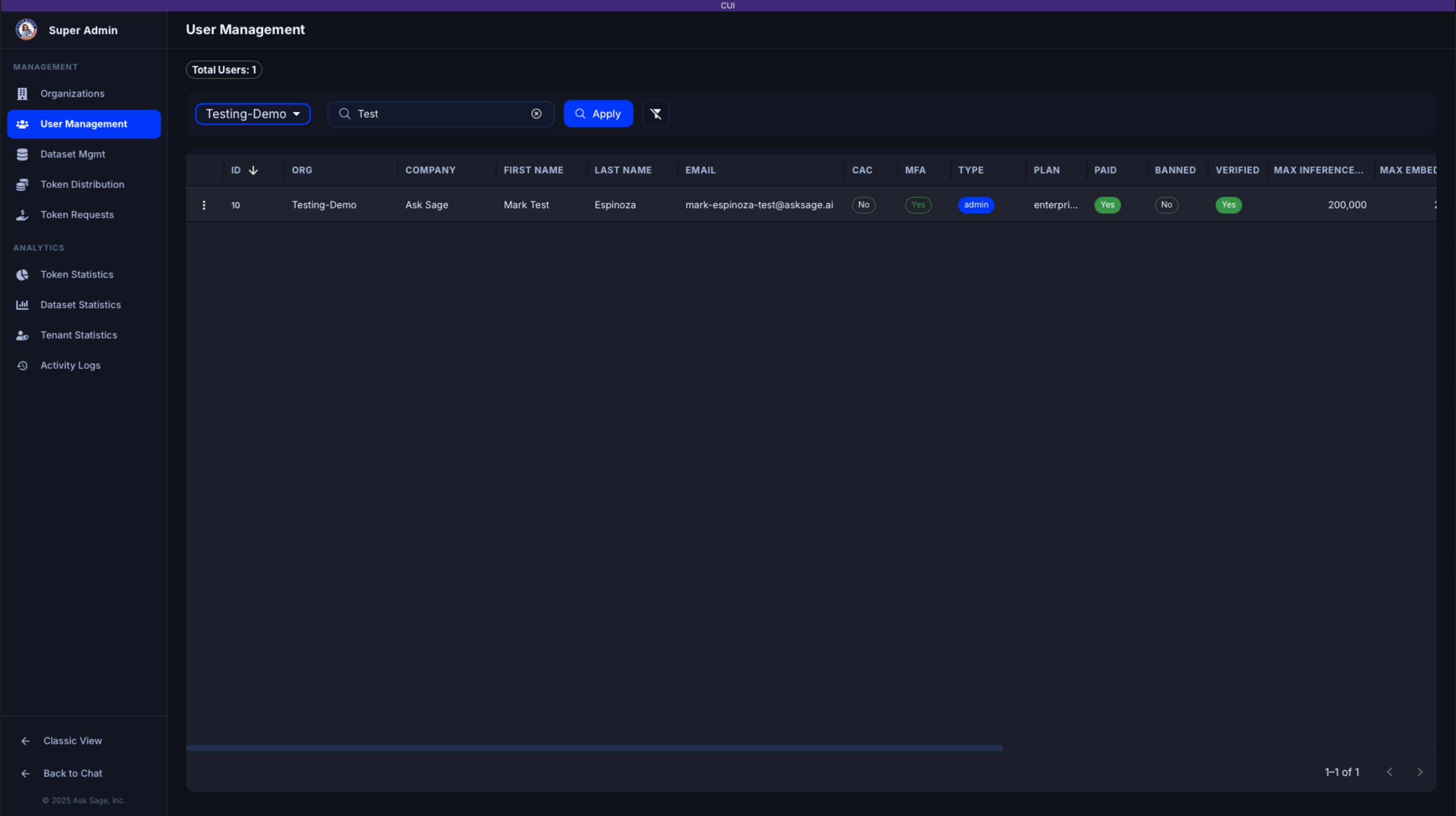
The redesigned Admin Panel with sidebar navigation
What’s New
- Sidebar Navigation — Persistent vertical sidebar replaces the horizontal menu bar, giving you quick access to all admin pages
- Dark & Light Theme — Follows your platform theme preference with a purpose-built admin color palette
- Tabbed Organization Management — Edit details, assign users, and control model access all from a single dialog
- Visual Model Selector — Replace comma-separated model keys with a checkbox-based interface grouped by capability tags
- Modernized Data Tables — Sortable, filterable data grids with column resizing and pagination
- WCAG 2.1 Compliance — Keyboard navigation, focus indicators, screen reader support, and AA-compliant color contrast
Accessing the New Admin Panel
- Navigate to the classic admin panel (e.g.,
/superadmin/get-usersor/admin/get-users) - Look for the Try New Admin UI button in the top-right corner of the black header bar
- Click the button to open the new admin experience
Switching Back: You can return to the classic admin interface at any time by clicking Classic View in the sidebar footer.
Available Pages
The new admin panel includes the following pages, accessible from the sidebar:
Management
- Organization Management — Manage organizations, users, and model access
- User Management — View and manage individual users
- Token Distribution — Allocate tokens across your organization
- Token Requests — Review and approve user token requests
Analytics
- Token Statistics — Token usage analytics and exports
- Dataset Statistics — Dataset usage breakdowns (Super Admin only)
- Tenant Statistics — Cross-organization metrics (Super Admin only)
- Activity Logs — User interaction history
Note: Some pages are only available to Super Administrators. Organization-level administrators will see a subset of pages relevant to their role.