Enterprise Account
Manage users, tokens, and account settings in one centralized platform
In this section, we will cover the Enterprise Account feature of the Ask Sage platform. The Enterprise Account feature is designed to cater to the needs of organizations and businesses that require a more comprehensive and scalable solution deploying and managing GenAI. By providing a centralized platform for managing multiple users, the Enterprise Account feature allows organization to manage their tokens and users effectively, ensuring a seamless experience for all users.

Ask Sage Enterprise Account Management Dashboard
Ask Sage delivers a solution that is tailored to the needs of organizations and businesses, providing a scalable and comprehensive solution for deploying and managing GenAI.
Table of Contents
Obtaining an Enterprise Account
Follow these steps to get an Enterprise Account on the Ask Sage platform. Doing so will expedite the process of getting an Enterprise Account and ensure that your organization can have a seamless experience with the Ask Sage platform.
- Minimum of 2 Users: An
Enterprise Accountis only available for organizations and businesses that have a minimum of 2 users. Otherwise, an individual subscription is recommended instead. - All Users Need to Register An Account: All users who will be part of the
Enterprise Accountneed to register an account on the Ask Sage platform and agree to the terms and conditions. This is a mandatory requirement for all users who will be part of theEnterprise Account. - Email Ask Sage Sales Team: Once all users have registered an account on the Ask Sage platform, organizations need to email the Ask Sage sales team at sales@asksage.ai and request an
Enterprise Account. In the email provide the following information:- Organization Name: The name of your organization (e.g., ABC Corp)
- Billing Address: The billing address of your organization
- Emails of All Users: The email addresses of all users who will be part of the
Enterprise Account - Emails of Admin Users: The email addresses of the users who will be the admin of the
Enterprise Account- Minimum of 1 admin user required - and there is no maximum limit on the number of admin users
- Token Request: Minimum is 2M ($90/month or $990/year). You can purchase additional token bundles depending on your need. If you require additional tokens, please mention the number of tokens you require (in quantities of 2M). - Minimum of 200K tokens required, per user.
- Additional Information: Any additional information that you would like to provide to the Ask Sage sales team.
- Payment: Once the Ask Sage sales team has received your email, they will get in touch with you to discuss the payment terms and conditions. Once the payment has been made, your
Enterprise Accountwill be activated.
Viewing the Administrator Dashboard
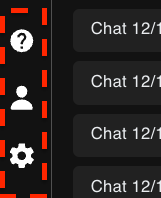
Ask Sage Settings Navigation
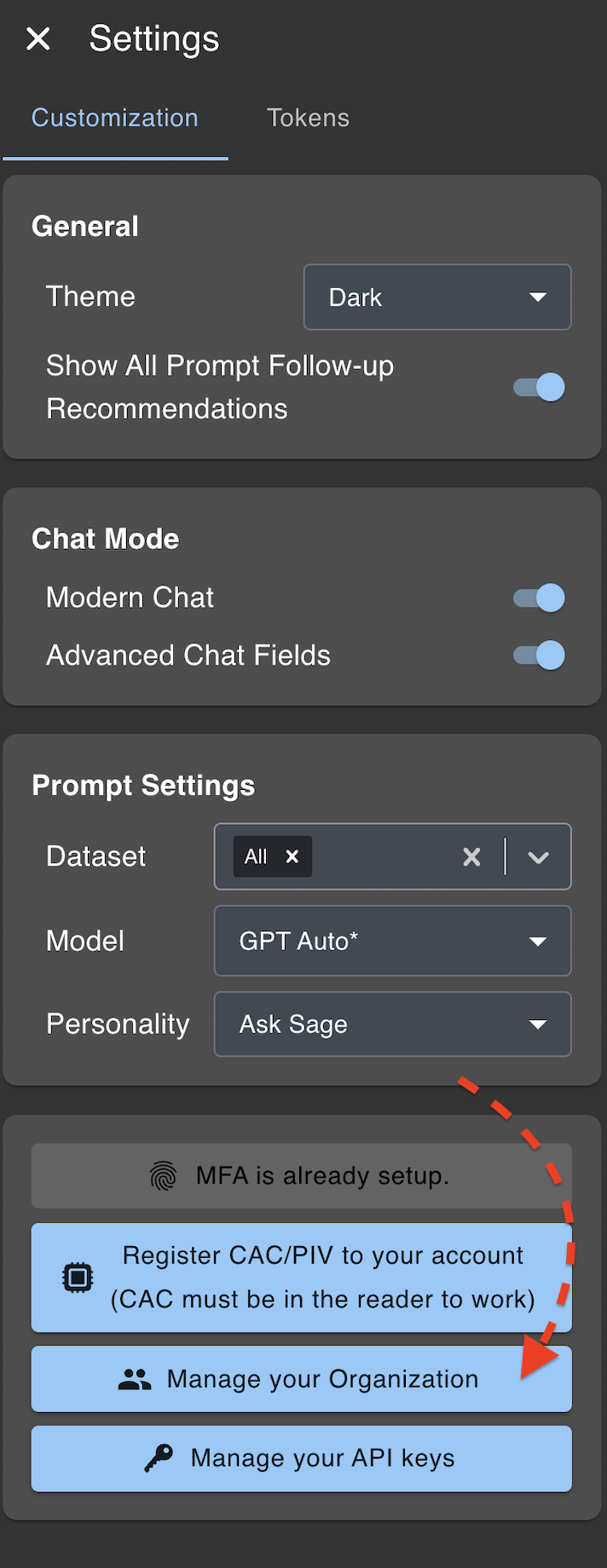
Ask Sage Admin Settings
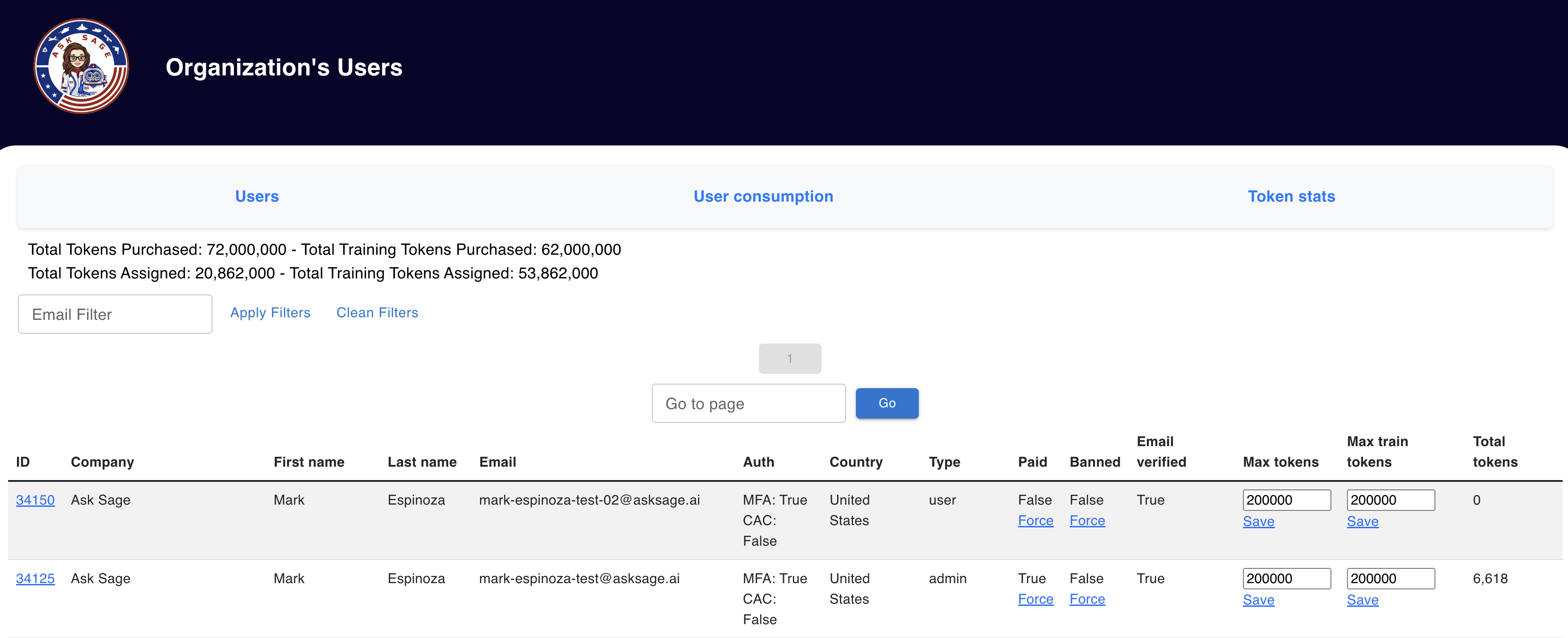
Ask Sage Enterprise Administrator Dashboard
Administrator Dashboard Overview
In the Administrator Dashboard administrators will see the following details:
- Total Tokens Purchased
- Total Tokens Assigned
- Total Training Tokens Purchased
- Total Training Tokens
Tokens - refers to the volume of Ask Sage inference tokens, which are associated with the cost of processing `prompts`/`questions`.
Training Tokens - refers to the volume of Ask Sage training tokens, which are associated with the `data` (i.e., Documents, images, audio) that is vectorized and added to an `Ask Sage Dataset`.
User Table Console - List all users assigned to your Enterprise

User Table Console with All Assigned Users
Each Entry/Row will list:
- User Information (ID, Email)
- Authentication (MFA/CAC Status)
- Status (Paid, Banned)
- Tokens Assigned (Max tokens, Max Train Tokens, Total Tokens)
Managing Enterprise Account
Once you have an Enterprise Account on the Ask Sage platform, administrators can manage the Enterprise Account by logging into the Ask Sage platform and accessing the Administrator dashboard. The Enterprise Account dashboard provides a centralized platform for managing multiple users, tokens, and other settings related to the Enterprise Account.
We will cover the following topics related to managing the Enterprise Account in the subsequent sections.