Claude Code Integration
Bring Ask Sage's AI models directly into your terminal with Claude Code CLI
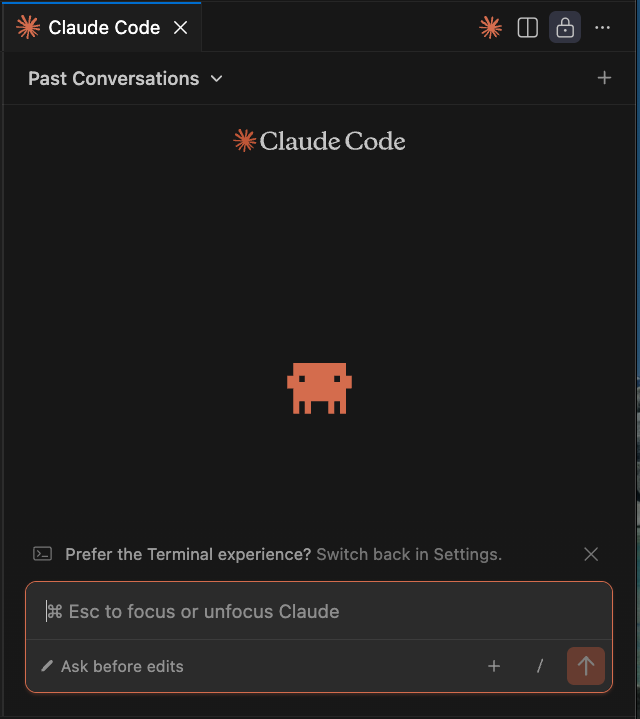
About Claude Code
Bring Ask Sage's AI models directly into your terminal or IDE with Claude Code—Anthropic's official CLI for Claude, now integrated with Ask Sage.
Table of Contents
Prerequisites
Installation
Claude Code can be installed in two ways:
Option 1: VSCode Extension
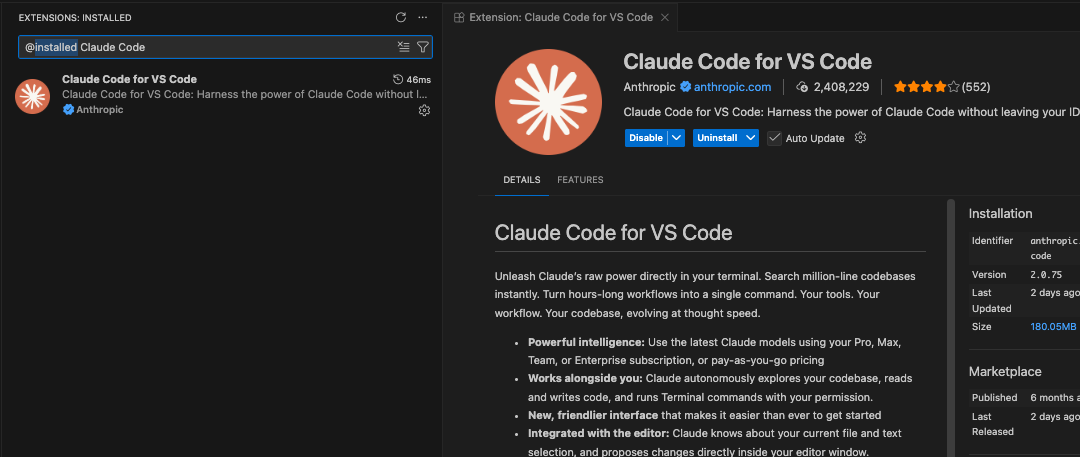
Install the Claude Code extension directly in Visual Studio Code:
Open VSCode and navigate to the Extensions view (Ctrl+Shift+X or Cmd+Shift+X on Mac)
Search for "Claude Code for VS Code" by Anthropic
Click the Install button to add the extension to your VSCode
Option 2: CLI Installation (via npm)
npm install -g @anthropic-ai/claude-code
# Verify installation
claude-code --version
Configuration Methods
Claude Code can be configured to work with Ask Sage using two methods. Choose the method that best fits your workflow.
Method 1: Using ~/.claude/settings.json (Recommended)
If on Windows, this file ~/.claude/settings.json might need to be created where you have Claude Code installed. For example: C:\Users\username\.claude
Create or edit ~/.claude/settings.json with the following configuration:
{
  "env": {
    "ANTHROPIC_BASE_URL": "https://api.asksage.ai/server/anthropic",
    "ANTHROPIC_AUTH_TOKEN": "your-asksage-token-here",
    "CLAUDE_CODE_DISABLE_NONESSENTIAL_TRAFFIC": 1
  },
  "permissions": {
    "allow": ["*"],
    "deny": ["Delete"]
  }
}ANTHROPIC_BASE_URL: Your Ask Sage Server Base URL with/anthropicpath. Note this varies based on instance of Ask Sage you are using.ANTHROPIC_AUTH_TOKEN: Your Ask Sage API KeyCLAUDE_CODE_DISABLE_NONESSENTIAL_TRAFFIC: Set to1to disable all non-essential traffic to Anthropic services (including telemetry, error reporting, and bug reports)
Method 2: Environment Variables (Terminal Session)
Export the following environment variables in your terminal before launching Claude Code:
export ANTHROPIC_BASE_URL="https://api.asksage.ai/server/anthropic"
export ANTHROPIC_AUTH_TOKEN="your-asksage-token-here"
export CLAUDE_CODE_DISABLE_NONESSENTIAL_TRAFFIC=1
Then launch Claude Code from the same terminal session.
Privacy & Data Usage Controls
Claude Code can send operational telemetry to Anthropic services. You have full control over this data sharing through environment variables.
Disable All Non-Essential Traffic
To ensure no operational data is sent to Anthropic services (including telemetry, error reporting, and bug reports), set the following environment variable:
export CLAUDE_CODE_DISABLE_NONESSENTIAL_TRAFFIC=1Configuration Examples
Method 1: Add to ~/.claude/settings.json (Recommended)
{
  "env": {
    "ANTHROPIC_BASE_URL": "https://api.asksage.ai/server/anthropic",
    "ANTHROPIC_AUTH_TOKEN": "your-asksage-token-here",
    "CLAUDE_CODE_DISABLE_NONESSENTIAL_TRAFFIC": 1
  },
  "permissions": {
    "allow": ["*"],
    "deny": ["Delete"]
  }
}
Method 2: Export in Terminal Session
export ANTHROPIC_BASE_URL="https://api.asksage.ai/server/anthropic"
export ANTHROPIC_AUTH_TOKEN="your-asksage-token-here"
export CLAUDE_CODE_DISABLE_NONESSENTIAL_TRAFFIC=1Setting this environment variable disables the following Anthropic services:
- Statsig Metrics: Operational telemetry including latency, reliability, and usage patterns (no code or file paths)
- Sentry Error Reporting: Operational error logs for debugging Claude Code itself
- Bug Reports: Prevents the
/bugcommand from sending conversation history to Anthropic
All data sent to these services is encrypted in transit (TLS) and at rest (AES-256). However, disabling these services ensures no operational data leaves your environment.
Individual Service Controls (Advanced)
For finer control, you can disable specific services individually:
# Disable telemetry metrics only
export DISABLE_TELEMETRY=1

# Disable error reporting only
export DISABLE_ERROR_REPORTING=1

# Disable bug report command only
export DISABLE_BUG_COMMAND=1DoD/DoW Network Configuration
Prerequisites
You'll need the same DoD root certificate (PEM format) that was configured for the Continue.Dev extension. If you haven't already created this file, see the Continue.Dev DoD Certificate Configuration for instructions.
Configuration for VSCode Extension
Add the following to your VSCode settings.json:
{
  "claudeCode.environmentVariables": [
    { "name": "NODE_EXTRA_CA_CERTS", "value": "C:\\Path\\TO\\AskSage_DoD_Root.pem"},
    { "name": "ANTHROPIC_BASE_URL", "value": "https://api.genai.army.mil/server/anthropic/"},
    { "name": "ANTHROPIC_AUTH_TOKEN", "value": "ASK-SAGE-API-KEY"},
    { "name": "CLAUDE_CODE_DISABLE_NONESSENTIAL_TRAFFIC", "value": 1}
  ]
}- Replace
C:\\Path\\TO\\AskSage_DoD_Root.pemwith your actual certificate path - Use double backslashes (
\\) in Windows paths for JSON - Replace
ASK-SAGE-API-KEYwith your actual Ask Sage API Key. - For Army GenAI environment, use
https://api.genai.army.mil/server/anthropic/ - You can use the same PEM file that was set up for the Continue.Dev extension
Example Configuration File
For usage on DoD/DoW networks, add the certificate to your ~/.claude/settings.json:
{
  "env": {
    "NODE_EXTRA_CA_CERTS": "/path/to/AskSage_DoD_Root.pem",
    "ANTHROPIC_BASE_URL": "https://api.genai.army.mil/server/anthropic",
    "ANTHROPIC_AUTH_TOKEN": "your-asksage-token-here",
    "CLAUDE_CODE_DISABLE_NONESSENTIAL_TRAFFIC": 1
  },
  "permissions": {
    "allow": ["*"],
    "deny": ["Delete"]
  }
}
Linux/Mac users: Use forward slashes in paths: /path/to/AskSage_DoD_Root.pem
Troubleshooting
Solutions:
- Verify your API Key is correct
- Remove any extra spaces from the token string
Solutions:
- Verify the
ANTHROPIC_BASE_URLis correct and accessible - Verify your Ask Sage API Key is correct
- Ensure there are no firewall rules blocking the connection
Solutions:
- Verify certificate path is correct in your configuration
- Ensure certificate is in PEM format (not DER)
- Check you have the complete certificate chain
- Windows users: Use double backslashes (
\\) in JSON configuration
Additional Resources
- Claude Code Official Documentation
- Claude Code Settings Reference
- Claude Code Data Usage & Privacy - Learn about telemetry and privacy controls
- Continue.Dev Integration - For IDE-based alternative