Bring AI-powered question-and-answer capabilities directly into your organization's SharePoint pages.
AI-powered chat embedded directly in SharePoint — connected to your organization's knowledge bases via the Ask Sage platform.
Overview
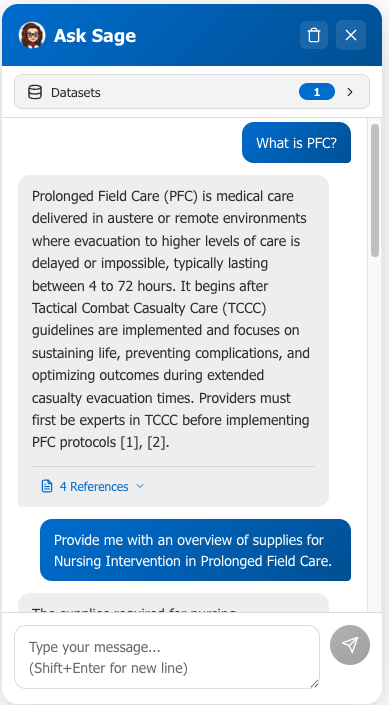
The Ask Sage Chat Widget brings AI-powered question-and-answer capabilities directly into your organization's SharePoint pages. Employees can simply click a chat button on any SharePoint page and ask questions in plain English. The widget connects to your organization's Ask Sage account via API and retrieves answers from datasets (knowledge bases) that have been uploaded to the Ask Sage platform. It cites its sources and presents responses in a clean, familiar chat interface.
Important: The widget does not read or index SharePoint content directly. All knowledge bases are managed within your Ask Sage account. Documents must be uploaded to Ask Sage as datasets before the widget can answer questions about them. SharePoint serves as the user-facing environment where the chat experience is delivered.
How It Works
How It Works
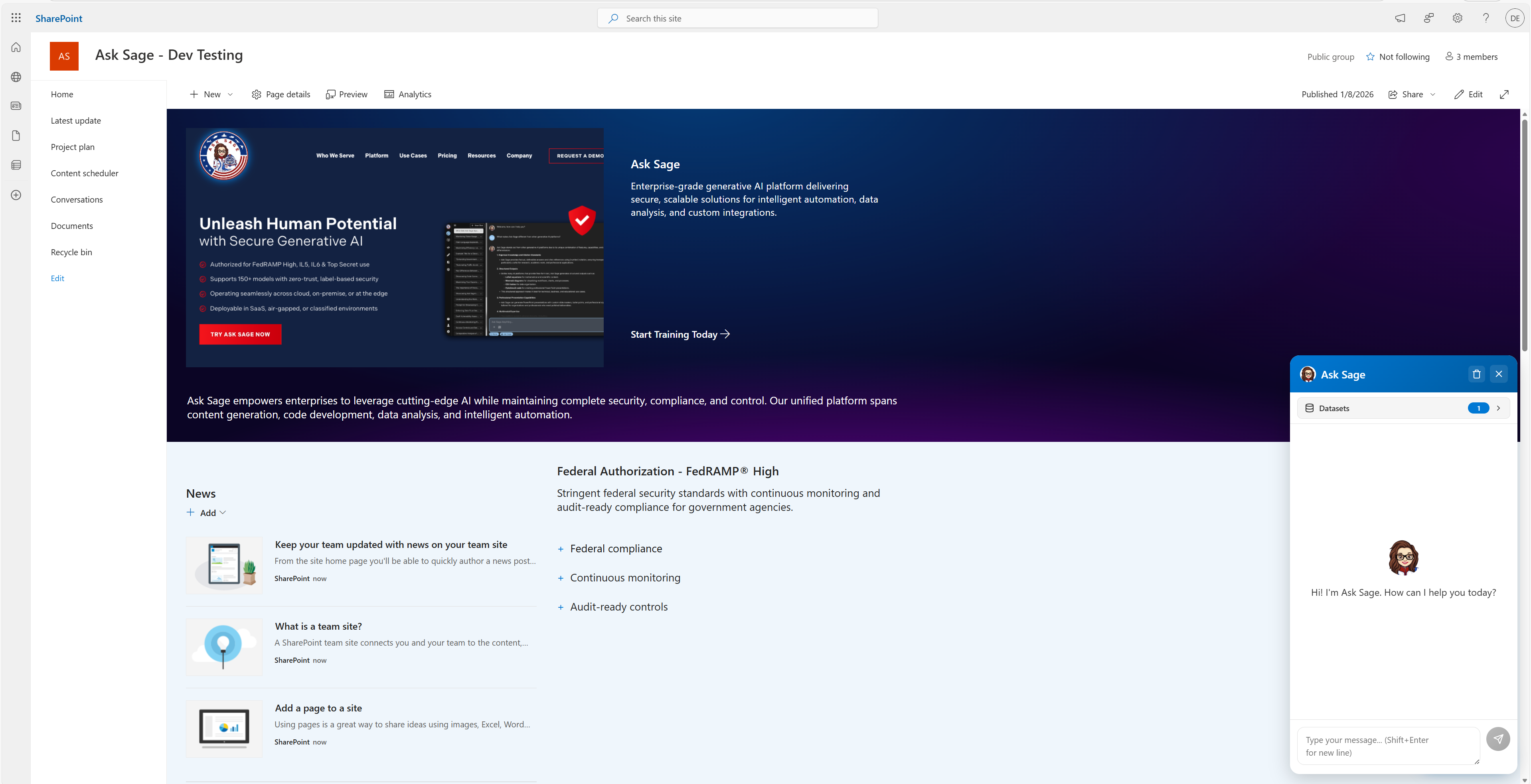
A floating chat button appears in the bottom-right corner of any SharePoint page where the widget is installed. Users click to open the chat, select a knowledge base, and type a question. The AI searches the selected datasets, returns a clear answer with numbered citations, and supports follow-up questions with conversation memory (up to 10 messages).
Powered by RAG: The AI only answers from datasets in your Ask Sage account -- it does not search the open internet or make up information. SharePoint is the delivery surface; Ask Sage is the data and AI engine. The two are connected through the Ask Sage API.
Common Use Cases
Use Cases
HR Self-Service
"How many vacation days do I get after 3 years?" "Does our dental plan cover orthodontics?"
IT Help Desk Deflection
"How do I reset my password?" "What are the steps to connect to the VPN?"
Onboarding & Training
"Who do I contact for building access?" "How do I submit an expense report?"
Compliance & Regulatory
"What are our data retention requirements?" "What are the reporting requirements for security incidents?"
Department Knowledge Bases
Finance, Legal, Engineering, Sales -- each department gets tailored datasets on their own SharePoint site.
A modern SharePoint Online environment (Microsoft 365). On-premises is not supported.
App Catalog Access
Permission to upload apps to your tenant's SharePoint App Catalog.
Knowledge Base Content
Documents uploaded to your Ask Sage account as datasets.
No Special Infrastructure: No special hardware, servers, or databases are required. The widget runs inside SharePoint as the user interface, while all data storage and AI processing are handled by the Ask Sage cloud platform via API.
Get Started
Admin Setup Guide
Deploy, configure, and manage the widget on your SharePoint sites. Covers installation, API setup, dataset configuration, and access control.