Content
Text processing, summarization, and analysis tools to manipulate and understand your data
Table of Contents
Overview
List of Content Plugins & Agents
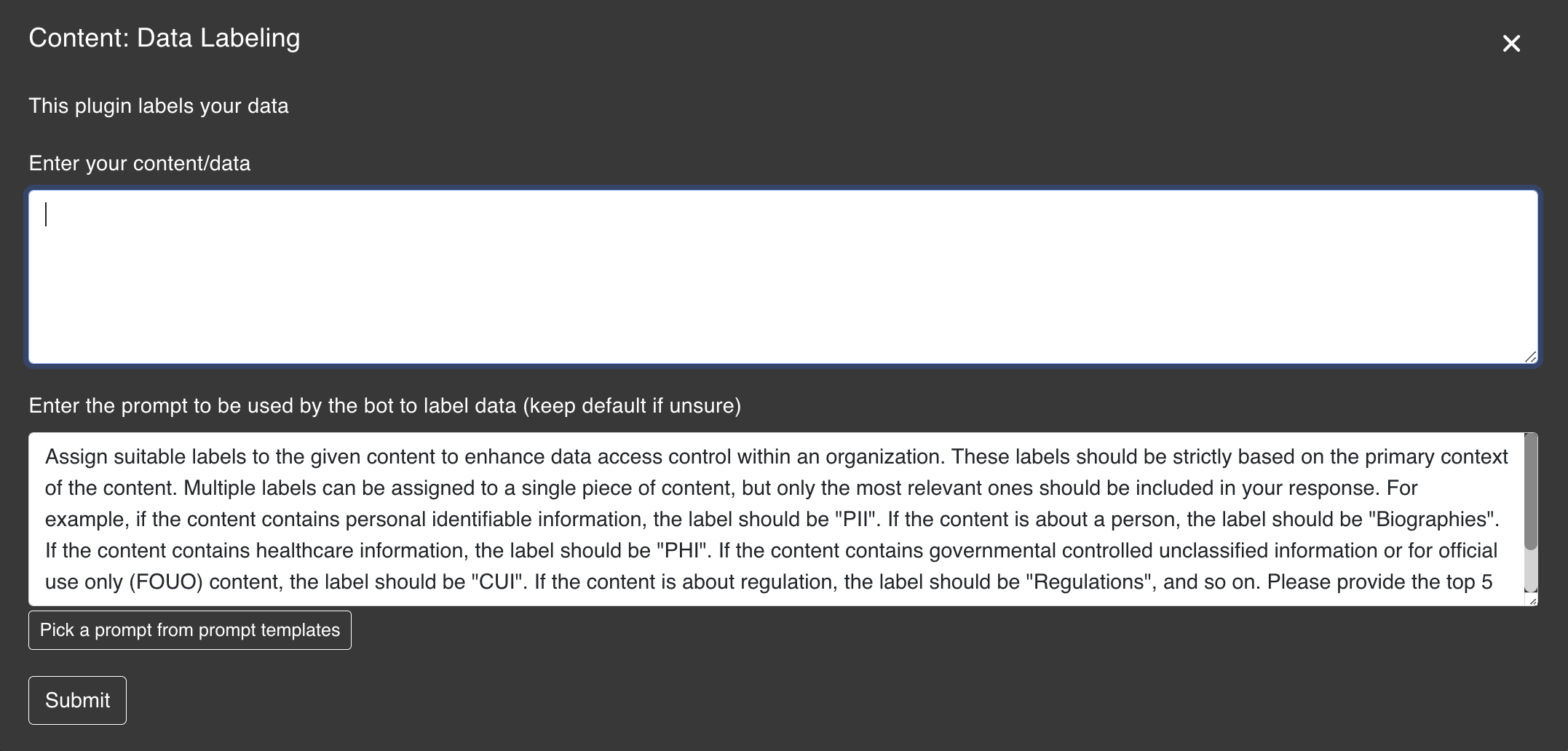
This plugin labels your data
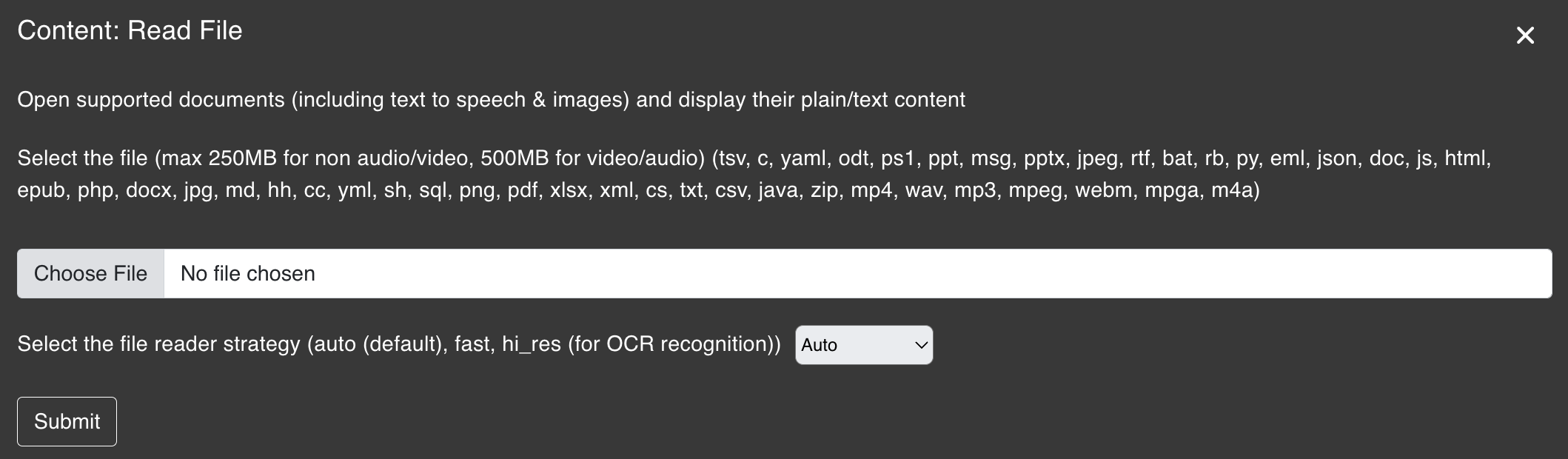
Open supported documents (including text to speech & images) and display their plain/text content
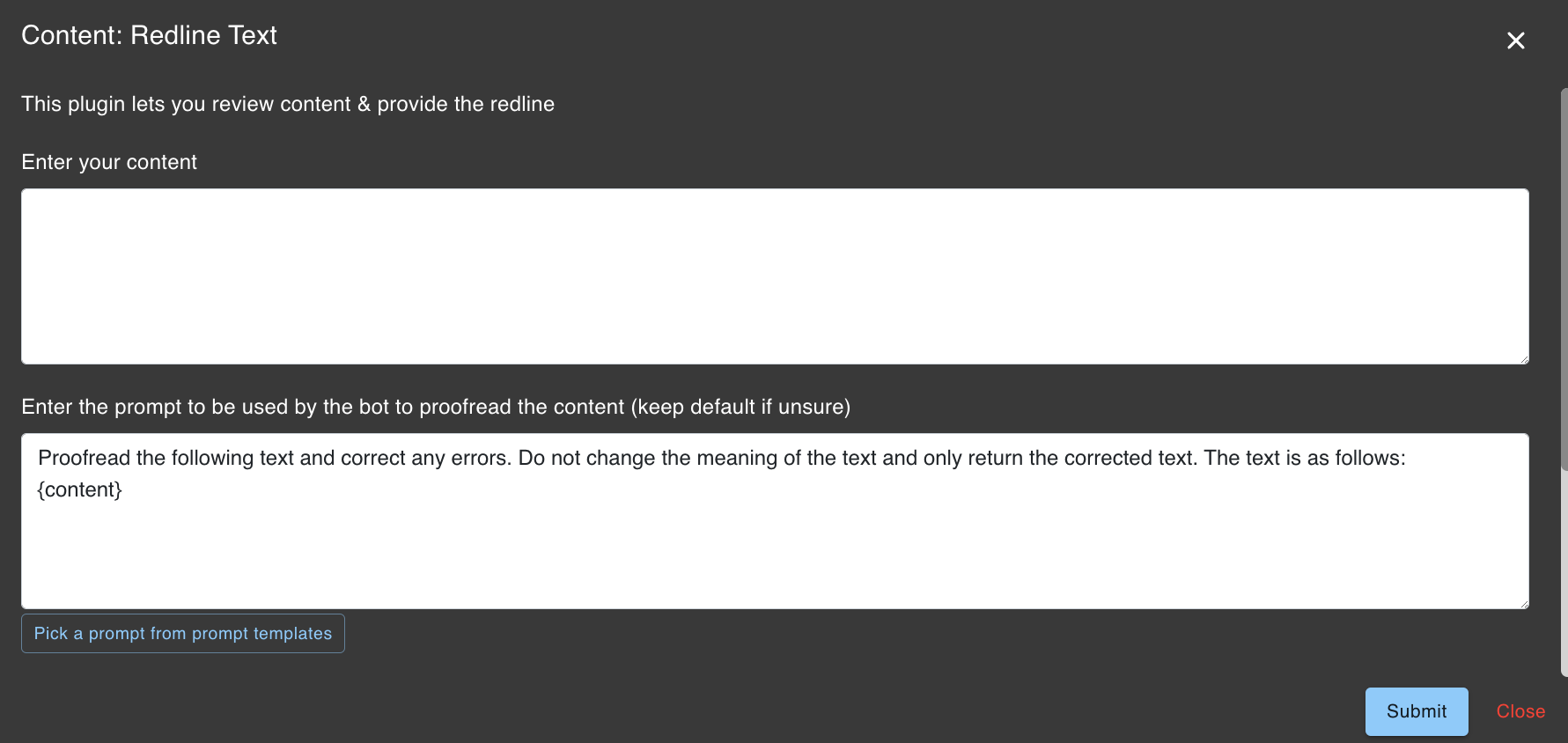
This plugin lets you review content & provide the redline
This plugin lets you find emotions/sentiment in content
This plugin lets you cut long content into smaller chunks
This plugin lets you summarize long content
This plugin lets you summarize website content
Import file content, summarize the content in chunks and ingest the summaries
Free and Paid options. Data Labeling
The Data Labeling plugin assigns suitable labels to content to enhance data access control within an organization. Labeling Criteria Labels are based strictly on the primary context of the content. Multiple labels can be assigned to a single piece of content, but only the most relevant ones should be included.
Label Examples:
CUI. The plugin provides the top 5 most relevant labels in English.
Mr. John Doe was accompanied by his daughter, Ms. Jane Doe, for the examination. Mr. Doe is a 60-year-old man, who is widowed and retired. Mr. Doe is currently living with his daughter, Jane, in Jane's apartment. Ms. Jane Doe informed me that Mr. John Doe used to work as a factory supervisor.

Mr. John Doe has a history of medical conditions. He has had diabetes and hyperlipidemia since 1995 and suffered several heart attacks in 2010. He subsequently developed heart problems (ischemic cardiomyopathy), congestive heart failure, and chronic kidney disease and was treated in XYZ Hospital.

He was last admitted to the XYZ Hospital on 5 May 2022 till 20 May 2022, during which he was diagnosed to have suffered from a myocardial infarction. This was confirmed by ECG and echocardiogram tests.apiVersion: apps/v1
kind: Deployment
metadata:
name: webapp-deployment
namespace: default
labels:
app: webapp
spec:
replicas: 3
selector:
matchLabels:
app: webapp
template:
metadata:
labels:
app: webapp
spec:
containers:
- name: webapp
image: nginx:latest
ports:
- containerPort: 80
env:
- name: DB_USERNAME
valueFrom:
secretKeyRef:
name: webapp-secret
key: DB_USERNAME**INTELLECTUAL PROPERTY AGREEMENT**
**This Intellectual Property Agreement ("Agreement") is made and entered into as of August 8, 2024, by and between Tech Innovators Inc., a Delaware corporation with its principal place of business at 1234 Innovation Drive, Wilmington, DE 19801 ("Company"), and John Doe, an individual residing at 5678 Creator Lane, Newark, DE 19711 ("Inventor").**
**RECITALS**
WHEREAS, the Inventor has developed certain intellectual property related to an Internet of Things (IoT) device (the "Invention");
WHEREAS, the Company desires to acquire certain rights to the Invention and the Inventor is willing to grant such rights to the Company under the terms and conditions set forth herein;
NOW, THEREFORE, in consideration of the mutual covenants and promises contained herein, the parties agree as follows:
**1. DEFINITIONS**
1.1 "Invention" means the IoT device and all related technology, designs, algorithms, software, hardware, and documentation developed by the Inventor, as described in Exhibit A attached hereto.
1.2 "Patent Rights" means all patents and patent applications, including any continuations, continuations-in-part, divisions, reissues, reexaminations, and extensions thereof, related to the Invention.
1.3 "Confidential Information" means any non-public information disclosed by one party to the other party, either directly or indirectly, in writing, orally, or by inspection of tangible objects, that is designated as "Confidential" or that reasonably should be understood to be confidential given the nature of the information and the circumstances of disclosure.
**2. ASSIGNMENT OF RIGHTS**
2.1 **Assignment**. The Inventor hereby assigns to the Company all right, title, and interest in and to the Invention, including all Patent Rights, copyrights, trade secrets, and other intellectual property rights therein.
2.2 **Further Assurances**. The Inventor agrees to execute all documents and take all actions reasonably requested by the Company to perfect the Company's rights in the Invention and to assist the Company in obtaining, maintaining, and enforcing the Patent Rights and other intellectual property rights in the Invention.
**3. CONSIDERATION**
3.1 **Payment**. In consideration for the assignment of the Invention, the Company shall pay the Inventor the sum of $50,000, payable as follows: $25,000 upon execution of this Agreement and $25,000 upon the successful filing of the first patent application related to the Invention.
3.2 **Royalties**. The Company shall pay the Inventor a royalty of 5% of the net sales of products incorporating the Invention, payable quarterly within thirty (30) days after the end of each calendar quarter.
**4. CONFIDENTIALITY**
4.1 **Obligations**. Each party agrees to maintain the confidentiality of the other party's Confidential Information and to use such Confidential Information only for the purposes of this Agreement. Each party agrees to take all reasonable measures to protect the confidentiality of the other party's Confidential Information.
4.2 **Exclusions**. Confidential Information does not include information that (a) is or becomes publicly known through no breach of this Agreement, (b) is received from a third party without breach of any obligation of confidentiality, (c) is independently developed without use of the other party's Confidential Information, or (d) is required to be disclosed by law or court order.
**5. REPRESENTATIONS AND WARRANTIES**
5.1 **By Inventor**. The Inventor represents and warrants that (a) the Inventor is the sole owner of the Invention and has the right to assign the Invention to the Company, (b) the Invention does not infringe any third party's intellectual property rights, and (c) the Inventor has not granted any rights in the Invention to any third party.
5.2 **By Company**. The Company represents and warrants that it has the full power and authority to enter into this Agreement and to perform its obligations hereunder.
**6. INDEMNIFICATION**
6.1 **By Inventor**. The Inventor agrees to indemnify, defend, and hold harmless the Company from and against any and all claims, liabilities, damages, losses, and expenses (including reasonable attorneys' fees) arising out of or in connection with any breach of the Inventor's representations and warranties set forth in Section 5.1.
6.2 **By Company**. The Company agrees to indemnify, defend, and hold harmless the Inventor from and against any and all claims, liabilities, damages, losses, and expenses (including reasonable attorneys' fees) arising out of or in connection with any breach of the Company's representations and warranties set forth in Section 5.2.
**7. MISCELLANEOUS**
7.1 **Governing Law**. This Agreement shall be governed by and construed in accordance with the laws of the State of Delaware, without regard to its conflict of laws principles.
7.2 **Entire Agreement**. This Agreement constitutes the entire agreement between the parties with respect to the subject matter hereof and supersedes all prior and contemporaneous agreements, understandings, and representations, whether oral or written.
7.3 **Amendments**. This Agreement may be amended only by a written instrument signed by both parties.
7.4 **Severability**. If any provision of this Agreement is held to be invalid or unenforceable, the remaining provisions shall continue in full force and effect.
7.5 **Counterparts**. This Agreement may be executed in counterparts, each of which shall be deemed an original, but all of which together shall constitute one and the same instrument.
IN WITNESS WHEREOF, the parties have executed this Agreement as of the date first above written.
**Tech Innovators Inc.**
By: ___________________________
Name: Jane Smith
Title: CEO
**John Doe**
By: ___________________________
Name: John Doe
---
**Exhibit A**
**Description of the Invention**
The Invention is an IoT device designed for smart home automation. It includes the following components and functionalities:
- **Hardware**: A microcontroller unit (MCU), Wi-Fi module, temperature and humidity sensors, motion detector, and power supply unit.
- **Software**: Embedded firmware for device control, mobile application for user interface, and cloud-based backend for data storage and analytics.
- **Functionality**: The device can monitor environmental conditions, detect motion, and send alerts to the user's mobile application. It can also integrate with other smart home devices through standard communication protocols such as MQTT and HTTP.Sentiment Analysis
The Sentiment Analysis plugin is used to analyze the emotional tone and sentiment of text content. This plugin identifies whether the content expresses positive, negative, or neutral emotions, and can detect specific emotions such as joy, anger, sadness, fear, and more.
Sentiment Analysis plugin is available to all users at no additional cost. I absolutely love this product! The quality exceeded my expectations and the customer service team was incredibly helpful when I had questions. The delivery was fast and the packaging was perfect. I would definitely recommend this to anyone looking for a reliable solution. Five stars!Emotions identified: Joy, Satisfaction, Trust
Key indicators: "absolutely love", "exceeded expectations", "incredibly helpful", "definitely recommend", "Five stars"
The product itself is great and works as advertised. However, the shipping took way too long and the customer support was unresponsive when I tried to track my order. Once it arrived, I was happy with the quality, but the overall experience could have been better.Positive aspects: Product quality, functionality
Negative aspects: Shipping delays, customer support
- Analyzing customer feedback and reviews
- Monitoring social media sentiment
- Evaluating employee survey responses
- Assessing communication tone in emails
- Understanding public opinion on topics
Split Text
The Split Text plugin is used to divide long content into smaller, manageable chunks. This is particularly useful when working with large documents that exceed token limits or when you need to process content in segments.
Split Text plugin is available to all users at no additional cost. - Processing documents that exceed model token limits
- Preparing content for batch processing with other plugins
- Breaking down large reports for analysis
- Creating manageable segments for translation
- Preparing data for ingestion into datasets
Split Text plugin pairs excellently with other plugins like Summarize Text and Iterative CSV Prompting for processing large documents in segments. Read File
The Read File plugin can be used with the following supported documents (including speech to text & images) and display the data in plain/text content.
Supported File Types:
| Data Type | File Format | Example | Max Size Per File |
|---|---|---|---|
| Text | .txt, .docx, .pdf, .pptx, .ppt, .csv, .cc, .sql, .cs, .hh, .c, .php, .js, .py, .html, .xml, .msg, .odt, .epub, .eml, .rtf, .doc, .json, .md, .tsv, .yaml, .yml, .java, .rb, .sh, .bat, .ps1 | example.txt | 50MB |
| Image | .jpg, .jpeg, .png | example.jpg | 50MB |
| Audio | .wav, .mp3, .mp4, .mpeg, .mpga, .m4a, .webm | example.wav | 500MB |
| Compressed | .zip | example.zip | 50MB |
| Spreadsheet | .xlsx, .tsv | example.xlsx | 50MB |
| Presentation | .pptx, .ppt | example.pptx | 50MB |
| Code | .cc, .sql, .cs, .hh, .c, .php, .js, .py, .java, .rb, .sh, .bat, .ps1 | example.py | 50MB |
| E-book | .epub | example.epub | 50MB |
| .eml, .msg | example.eml | 50MB | |
| Rich Text | .rtf | example.rtf | 50MB |
| Markup | .md, .html, .xml | example.html | 50MB |
| Data Interchange | .json, .yaml, .yml | example.json | 50MB |

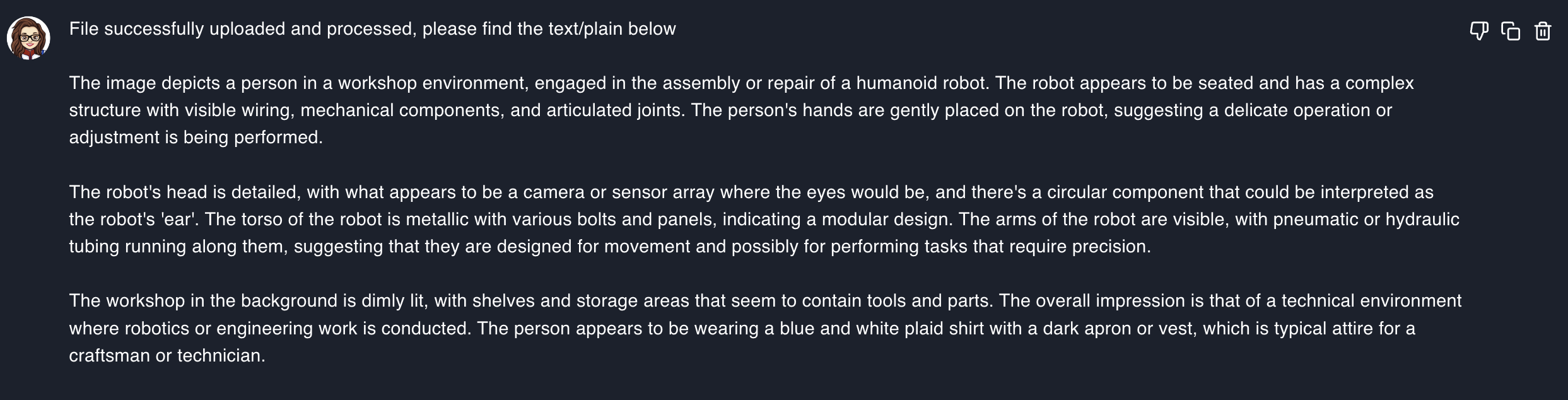
Summarize Text
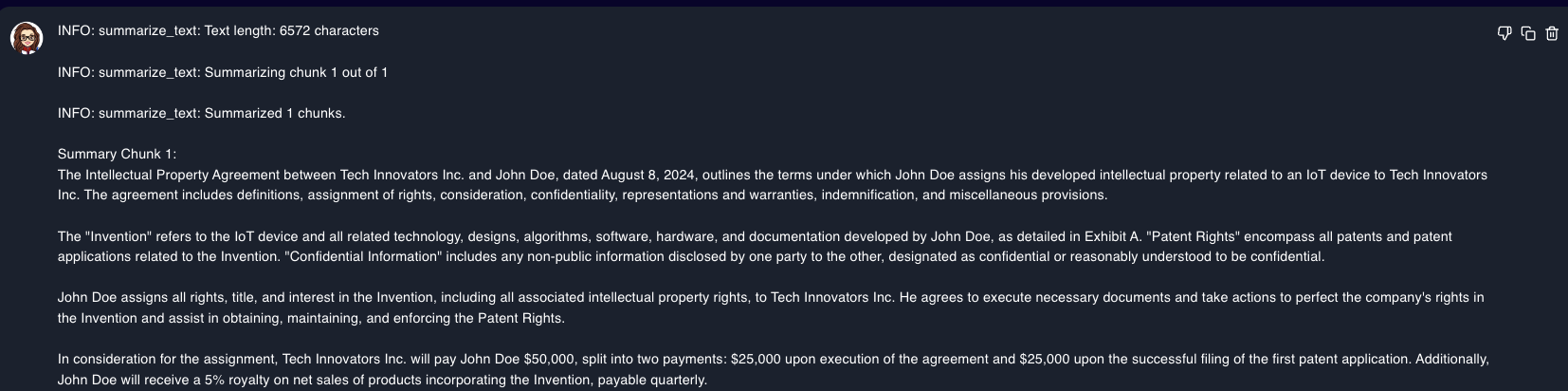
The Summarize Text plugin is used to summarize long content. The plugin generates a concise summary of the input text, highlighting the key points and main ideas. The summary is designed to provide a quick overview of the content without losing important details.
Summarize Text plugin is particularly useful for processing lengthy text-based content that needs to be condensed for easier understanding. It can help you save time and focus on the most relevant information. 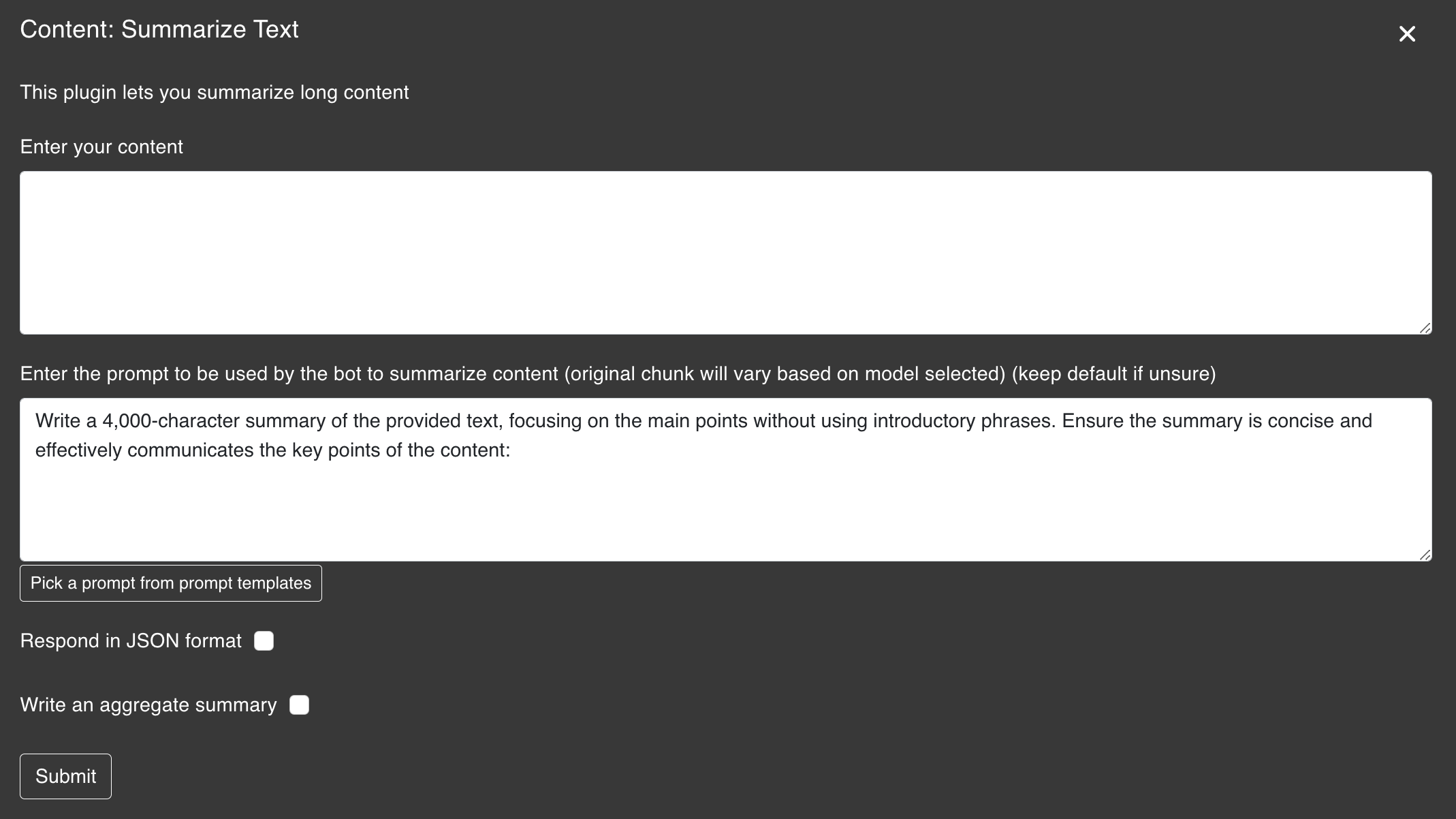
- Respond in JSON format: Returns the summary in JSON format
- Write an aggregate summary: Returns an aggregate summary of the input text
Summarize Website
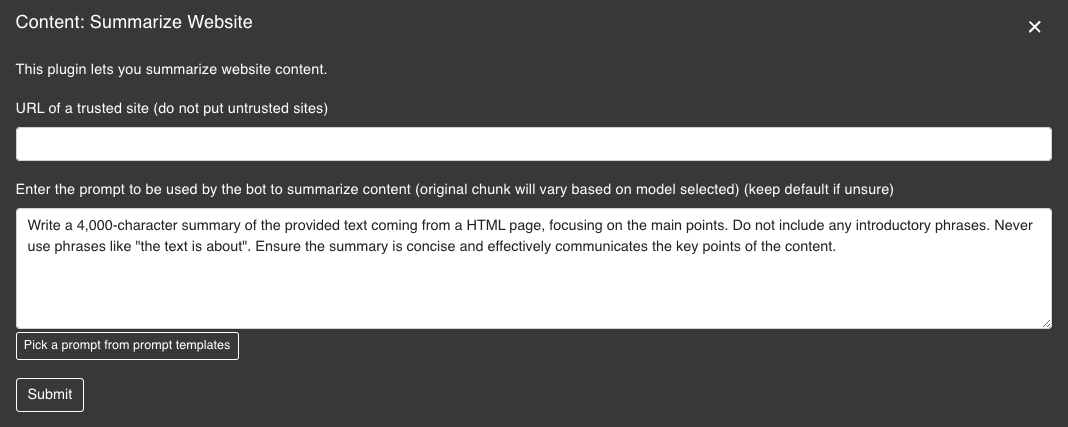
The Summarize Website plugin is used to summarize website content. The plugin generates a concise summary of the input website, which utilizes our webcrawler to extract the content from the website.
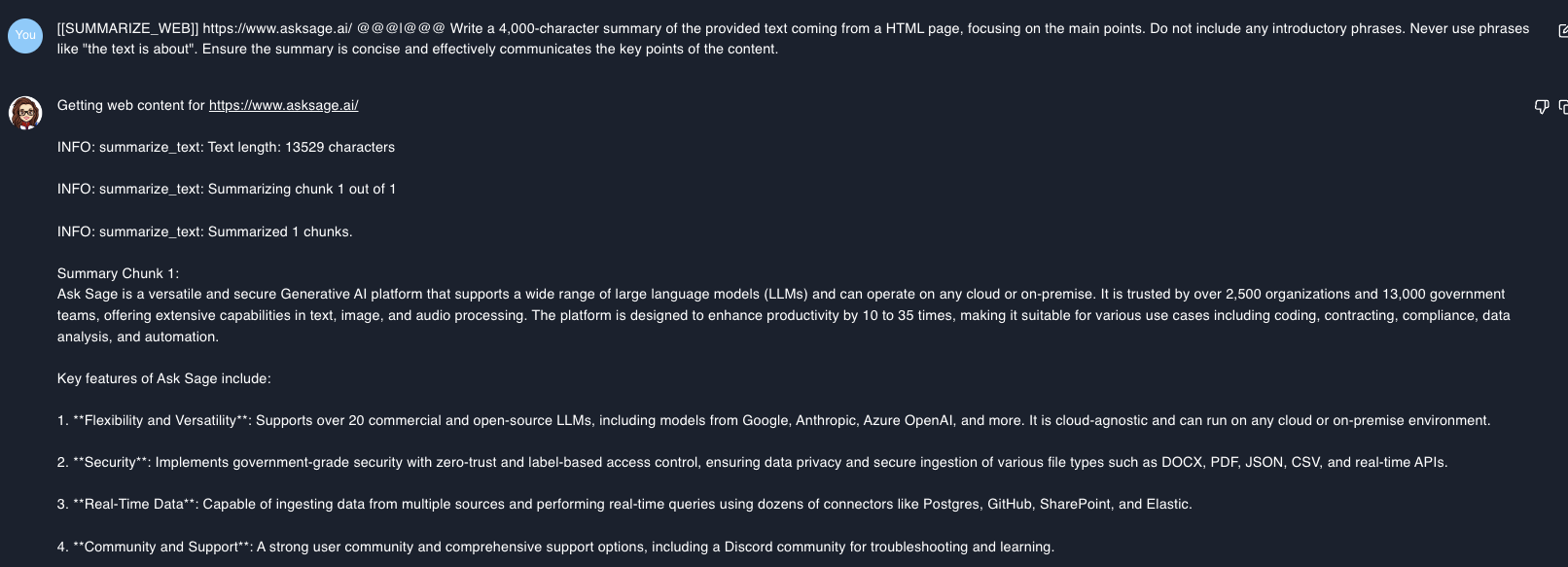
Summarize File
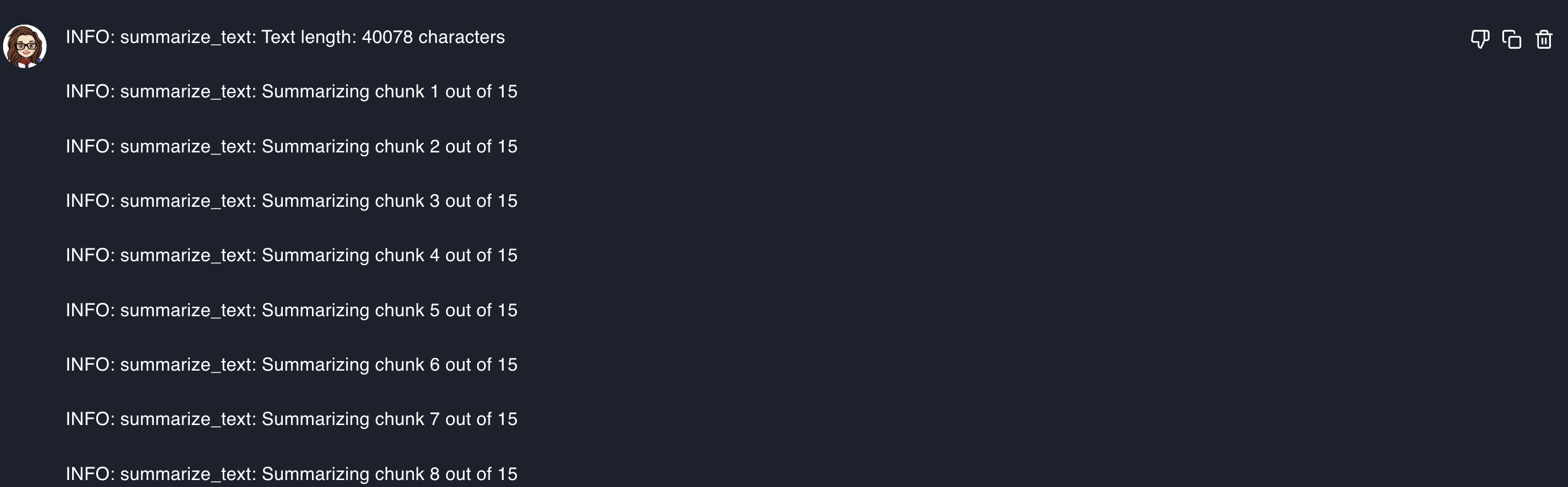
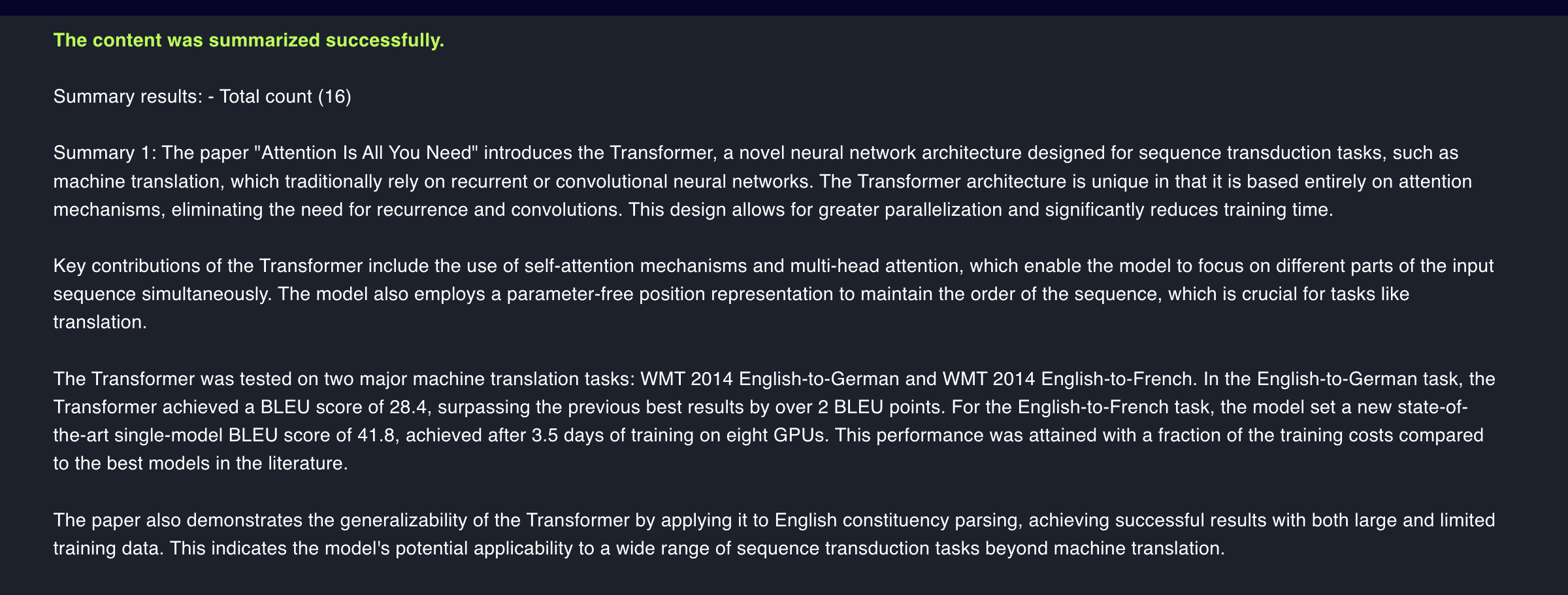
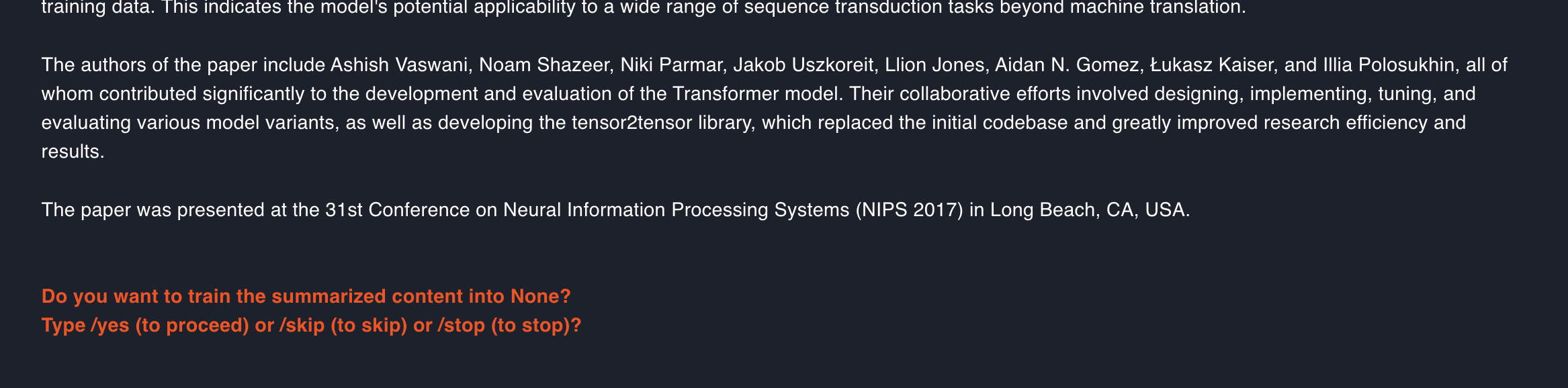
The Summarize File plugin is used to import file content, summarize the content in chunks, and ingest the summaries. The plugin supports the same file types as the Read File plugin.
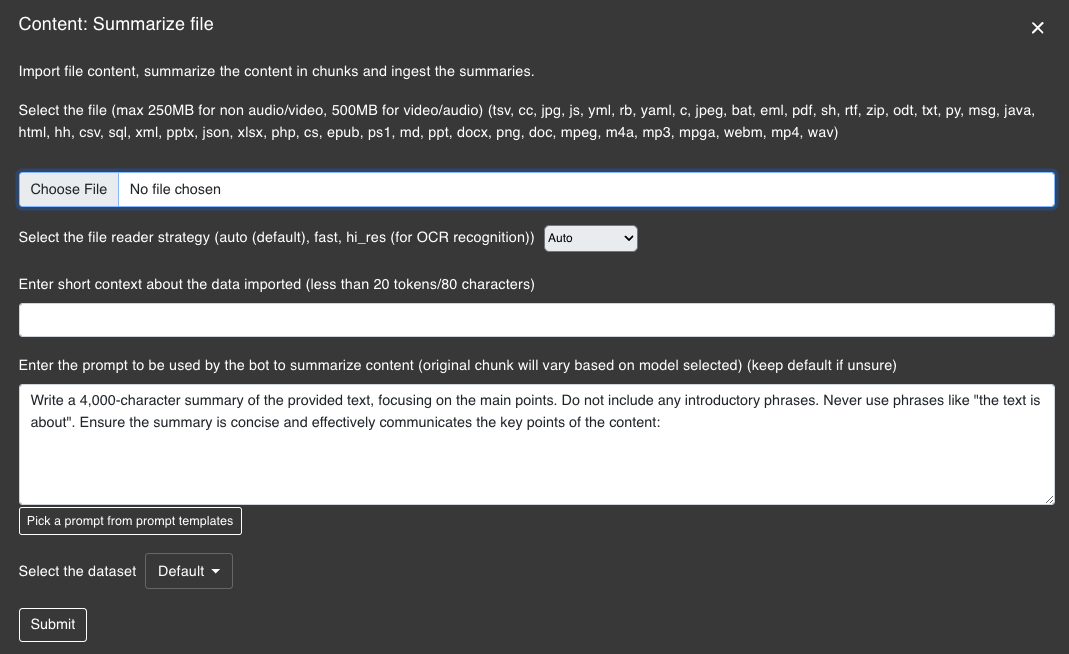
Run the Summarize File plugin with, for example the research paper that lead to the Transformer architecture in NLP: "Attention is All You Need".
Redline Text
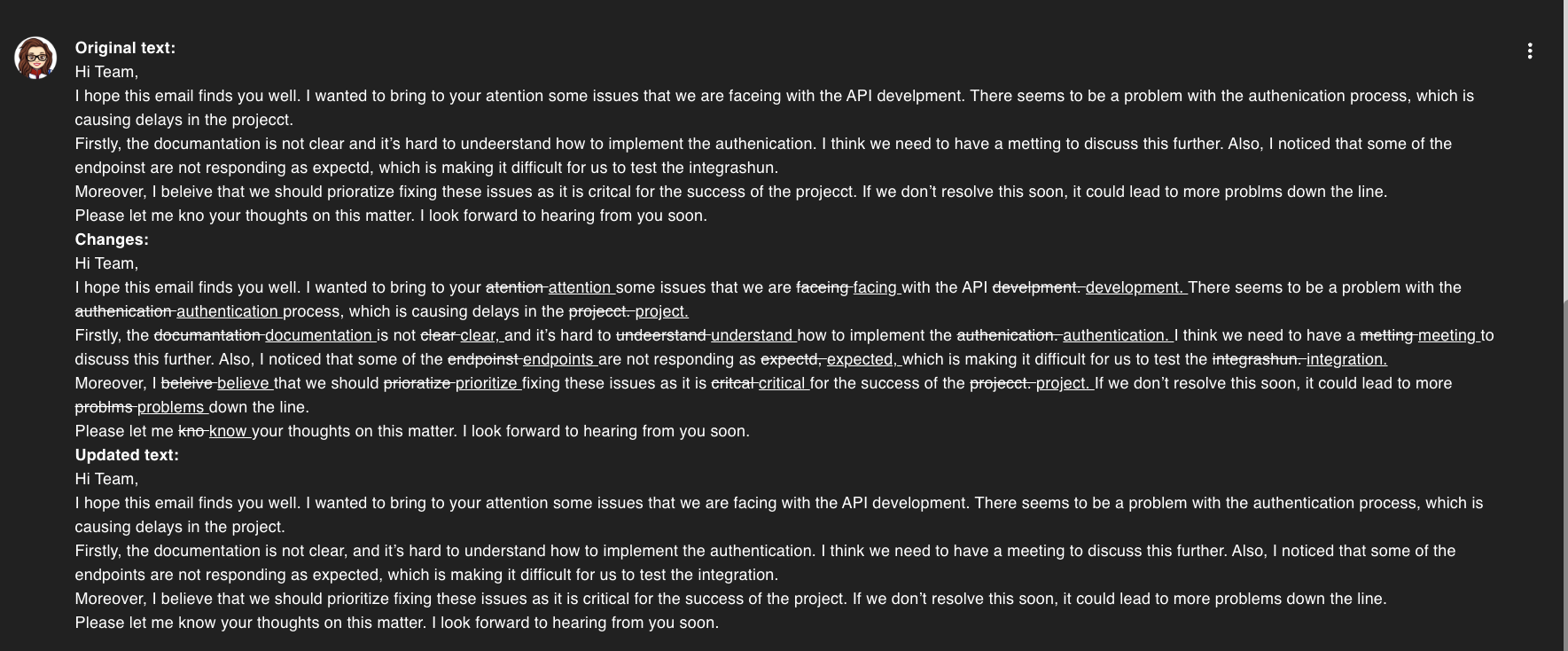
The Redline Text plugin is used to review content and provide the redline. The plugin generates a redline of the input text, highlighting the changes made to the original content. The redline is designed to show the differences between the original text and the revised text, making it easier to track changes.