Ask Sage API Endpoints
Comprehensive guide to the Ask Sage REST API surface
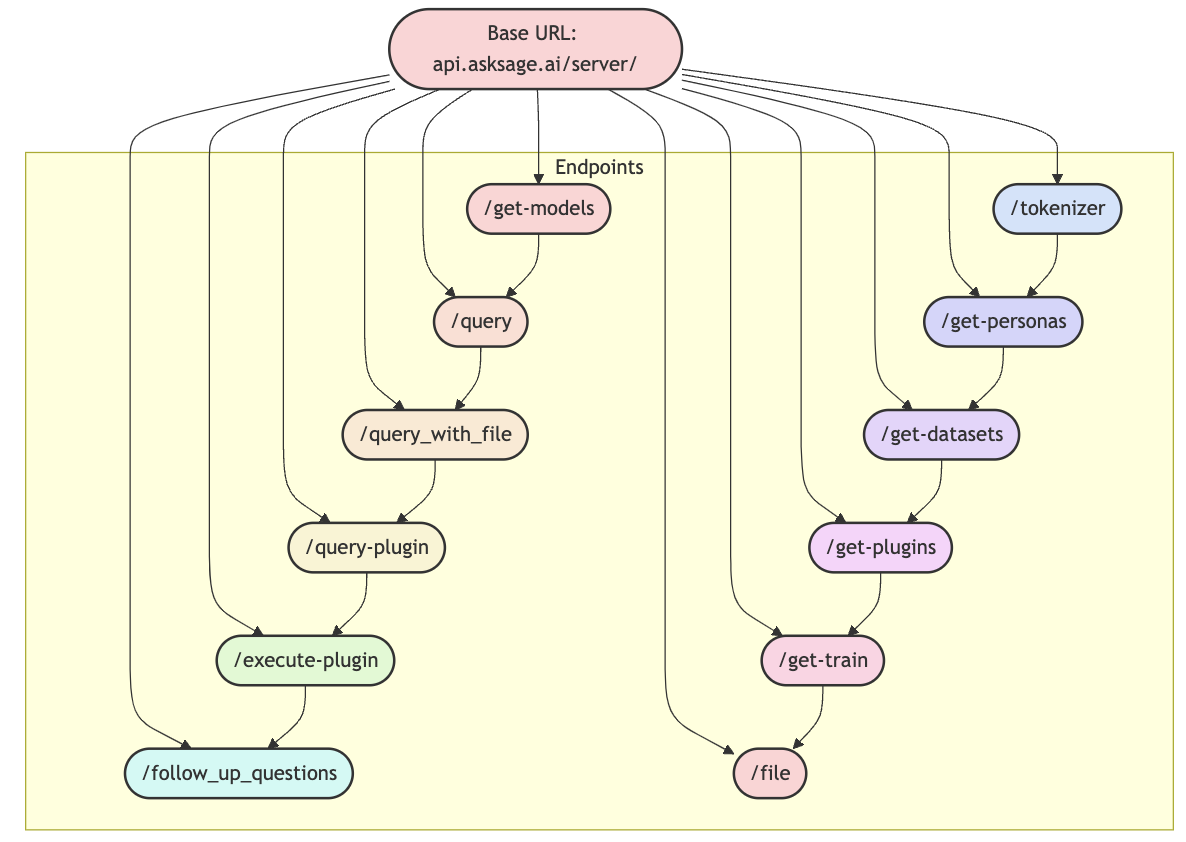
Table of Contents
Overview
The Ask Sage API is a modern RESTful API providing comprehensive access to the Ask Sage platform. Our API architecture is divided into two specialized components, each designed for specific functionalities — the Server API and the User API. Each has its own base URL, purpose, and set of endpoints.
The Server API focuses on core AI operations, model queries, and server management, while the User API handles user management, authentication, and dataset operations. This separation ensures optimized performance and security for different types of interactions with the Ask Sage platform.
User API Endpoints
User management, authentication, and dataset operations.
Instance-Specific Base URL: The base URL shown reflects the instance at chat.asksage.ai. The api. prefix and /user/ suffix stay the same across deployments — only the instance segment in the middle changes based on which Ask Sage instance you are logging into. Always use the instance approved by your organization and applicable regulatory requirements, and match the base URL to the instance you authenticate against.
Swagger Documentation: View User API Documentation →
Redocly Reference: Response schemas, error codes & content types →
Scoped API Keys: If you’re calling these endpoints with a scoped API key, make sure the key includes the scope that covers the endpoint you need — see Restricting Access with Scopes.
| Method | Endpoint | Description |
|---|---|---|
POST | /get-token-with-api-key | Get an access token with API Key and email |
POST | /get-user-logins | Get your last logins (limited to 5 by default) |
POST | /get-user-logs | Get your last prompts |
POST | /add-dataset | Add a new dataset |
POST | /delete-datasets | Delete a dataset |
POST | /get-chats | Get all chat sessions for user |
POST | /get-chat-session | Get specific chat session |
POST | /delete-chat-session | Delete chat session |
POST | /deassign-dataset | Remove dataset from user |
POST | /update-permission-dataset | Update dataset permissions |
POST | /get-datasets-with-permissions | Get user datasets with permissions |
POST | /get-user-api-keys | Get user API keys |
POST | /user-api-key | Create new API key |
DELETE | /user-api-key | Delete API key |
Server API Endpoints
Core AI operations, model queries, and server management.
Instance-Specific Base URL: The base URL shown reflects the instance at chat.asksage.ai. The api. prefix and /server/ suffix stay the same across deployments — only the instance segment in the middle changes based on which Ask Sage instance you are logging into. Always use the instance approved by your organization and applicable regulatory requirements, and match the base URL to the instance you authenticate against.
Swagger Documentation: View Server API Documentation →
Redocly Reference: Response schemas, error codes & content types →
| Method | Endpoint | Description |
|---|---|---|
POST | /get-models | Returns a list of available models |
POST | /query | Main endpoint for generating completions |
POST | /query_with_file | Query with file for generating completions |
POST | /query-plugin | Query with plugin for generating completions |
POST | /execute-plugin | Execute a plugin with provided content |
POST | /follow-up-questions | Generate follow-up questions |
POST | /tokenizer | Get tokens of string value |
POST | /get-personas | Get available personas |
POST | /get-datasets | Returns a list of available datasets |
POST | /get-plugins | Returns a list of available plugins |
POST | /train | Train the model based on user input |
POST | /file | Convert supported file to plain text |
POST | /execute-plugin-with-file | Execute plugin with file input |
POST | /get-deep-agent | Get streaming updates from deep agent |
POST | /add-mcp-server | Add new MCP server for user |
PUT | /update-mcp-server | Update existing MCP server configuration |
GET | /list-mcp-servers | Get list of all MCP servers for user |
POST | /list-mcp-servers | Get list of all MCP servers for user |
GET | /list-mcp-whitelisted-servers | Get list of whitelisted MCP servers |
GET | /list-mcp-tools | Get list of available MCP tools |
DELETE | /delete-mcp-server | Soft delete MCP server |
DELETE | /dataset | Delete specific dataset |
POST | /delete-filename-from-dataset | Remove specific file from dataset |
POST | /get-all-files-ingested | Returns list of all ingested files |
POST | /copy-files-dataset | Copy files from one dataset to another |
POST | /vote-down | Mark response as unhelpful or incorrect |
GET | /count-monthly-tokens | Returns count of tokens used this month |
POST | /count-monthly-tokens | Returns token count for specific app |
GET | /count-monthly-teach-tokens | Returns training tokens used this month |
POST | /train-with-file | Train model using file content |
POST | /train-with-array | Train model using array of content |
GET | /get-secrets | Returns list of stored secrets (keys only) |
POST | /get-text-to-speech | Generate audio from text using TTS |
GET | /list-agents | Returns a list of all agents available to the user |
POST | /execute-agent | Execute an agent with a message and optional variables |
Ask Sage also exposes the wire formats of the major model providers under /server/, so existing SDKs and tools work by changing only the base URL and key. These routes accept the same Ask Sage API key as a Bearer token.
| Method | Endpoint | Description |
|---|---|---|
POST | /openai/v1/chat/completions | OpenAI Chat Completions (supports stream: true) — guide |
POST | /openai/v1/responses | OpenAI Responses API (supports stream: true) |
POST | /openai/v1/embeddings | OpenAI Embeddings |
GET | /openai/v1/models | List models in OpenAI format |
GET | /openai/v1/models/{id} | Retrieve one model in OpenAI format |
POST | /anthropic/v1/messages | Anthropic Messages (supports stream: true) — guide |
POST | /anthropic/v1/messages/count_tokens | Anthropic token counting |
GET | /anthropic/v1/models | List Claude models in Anthropic format |
POST | /google/v1beta/models/{model}:generateContent | Gemini generateContent — guide |
POST | /google/v1beta/models/{model}:streamGenerateContent | Gemini streaming |
Code Examples
Authentication
Authenticate with your API key to receive an access token for subsequent requests.
curl -X POST 'https://api.asksage.ai/user/get-token-with-api-key' \
-H 'Accept: application/json' \
-H 'Content-Type: application/json' \
-d '{
"email": "your_email@email.com",
"api_key": "your_api_key"
}'Generate a new API key for programmatic access.
Optional token_scopes: Pass a comma-separated string (e.g. "query,plugins") to restrict the key to specific surfaces; any invalid scope returns 400. Valid values: query, agent_builder, passthrough, mcp, plugins. Omit it to create an unscoped key.
curl -X POST 'https://api.asksage.ai/user/user-api-key' \
-H 'x-access-tokens: your_access_token' \
-H 'Content-Type: application/json' \
-d '{"name": "My API Key", "token_scopes": "query,plugins"}'Core AI Operations
Send a message to an AI model and receive a response. This is the primary endpoint for interacting with Ask Sage.
Advanced deep-agent fields: video_options, prior_deep_agent_ids, and skip_search are accepted only via multipart/form-data (the same form used for file uploads), not in the JSON body shown below.
curl -X POST 'https://api.asksage.ai/server/query' \
-H 'x-access-tokens: your_access_token' \
-H 'Content-Type: application/json' \
-d '{
"message": "What is Ask Sage?",
"persona": 1,
"dataset": ["dataset1", "dataset2"],
"model": "gpt-6-astra",
"temperature": 0.7,
"limit_references": 5,
"live": 1
}'Generate contextual follow-up questions based on conversation history.
curl -X POST 'https://api.asksage.ai/server/follow-up-questions' \
-H 'x-access-tokens: your_access_token' \
-H 'Content-Type: application/json' \
-d '{
"message": [
{"user": "me", "message": "What is Ask Sage?"}
],
"model": "gpt-6-astra",
"dataset": "none"
}'Retrieve the list of AI models available to your account.
Optional format query parameter: Add ?format=full to return the enriched model objects (with metadata) instead of the default key list. Works on both GET and POST.
curl -X POST 'https://api.asksage.ai/server/get-models?format=full' \
-H 'x-access-tokens: your_access_token' \
-H 'Content-Type: application/json'Files & Datasets
Add content to a dataset for training purposes.
curl -X POST 'https://api.asksage.ai/server/train' \
-H 'x-access-tokens: your_access_token' \
-H 'Content-Type: application/json' \
-d '{
"context": "Product documentation",
"content": "Your content here...",
"summarize": true,
"summarize_model": "gpt-6-astra",
"force_dataset": "user_custom_123_MyDataset_content"
}'Agents
Execute an AI agent with a message and optional variables. Supports non-streaming, streaming, and file-upload modes.
# Non-streaming request
curl -X POST 'https://api.asksage.ai/server/execute-agent' \
-H 'x-access-tokens: your_access_token' \
-H 'Content-Type: application/json' \
-d '{
"agent_id": 1,
"message": "What are the latest billing updates?",
"streaming": false,
"variables": {
"priority": "high"
}
}'
# Streaming request
curl -X POST 'https://api.asksage.ai/server/execute-agent' \
-H 'x-access-tokens: your_access_token' \
-H 'Content-Type: application/json' \
-N \
-d '{
"agent_id": 1,
"message": "Summarize this quarter'\''s performance",
"streaming": true
}'
# With file upload (multipart/form-data)
curl -X POST 'https://api.asksage.ai/server/execute-agent' \
-H 'x-access-tokens: your_access_token' \
-F 'agent_id=1' \
-F 'message=Analyze this document' \
-F 'streaming=false' \
-F 'variables={"my_file_var": "report.pdf"}' \
-F 'file=@report.pdf'User Management
Important Note: Base URLs may vary depending on your environment. For assistance, please contact us at support@asksage.ai.